
Preview
Description
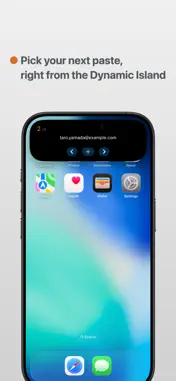
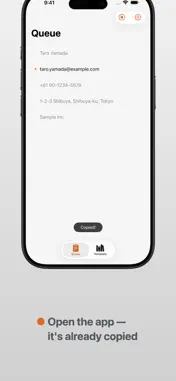
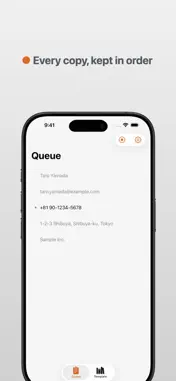
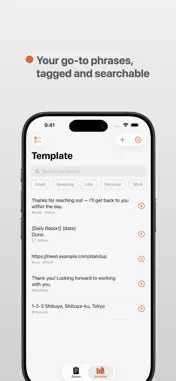
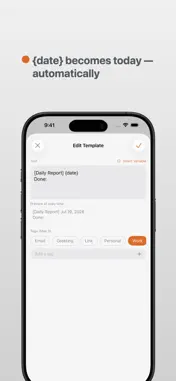
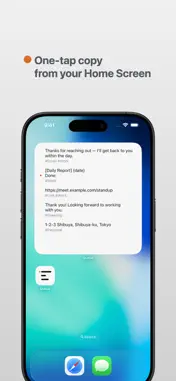
Queue is a minimal utility app that supercharges your clipboard with Dynamic Island and Live Activities. Everything you copy is kept as a chronological stack. Pick the text you need next right from the Dynamic Island — the moment you return to the app, it's automatically copied to your clipboard. Perfect for writing documents, filling out forms, translating, or any workflow that juggles multiple pieces of text. * Clipboard updates occur when the app is opened (due to iOS specifications). ■ KEY FEATURES ◎ Live Activity & Dynamic Island - Preview the currently stacked text at a glance - "Next" / "Previous" switch the selection in your stack on the spot - The selected text is copied to your clipboard automatically when you open the app - "Add" captures your current clipboard into the stack with one tap - Switch items right from the Lock Screen too ◎ Clipboard Queue - Copied text is automatically organized in chronological order - Duplicate entries are filtered out automatically ◎ Templates - Save frequently used text permanently - Organize with tags (up to 3 per item), filter instantly via search or tag chips - Add templates to your queue to access them from the Dynamic Island - Register text from other apps via the Share Sheet ◎ Snippet Variables - Embed variables like {date}, {time}, and {clipboard} in templates — they expand to real values the moment you copy - Custom date formats supported, e.g. {date:yyyy-MM-dd} ◎ Home Screen Widget - Browse your templates by tag, right on your Home Screen - Tap to copy — that's it ■ QUEUE PRO (ONE-TIME PURCHASE) No subscription. Pay once, own it forever. - Unlimited templates - Export / Import - Home Screen widgets - Add templates from the Share Sheet - Snippet variable expansion Clean, minimal design with full Light / Dark Mode support. Queue makes every day with text a little bit faster. ---------------------------- https://mtimsno.github.io/apps/queue/privacy https://mtimsno.github.io/apps/queue/terms ----------------------------
What's New
Version 1.0.1 2026-07-23
[New Features & Improvements] - Control from the Lock Screen & Notification Center Use Previous, Add, and Next from the Live Activity, even on devices withou... Technical Analysis
Package Overview Basic metadata
Bundle ID
com.myApp.Queue Current Version 1.0.1
Minimum iOS 26.0
Package Size App Store Size
Package Metadata 0 / 0 version records
Detailed binary, privacy manifest, framework, and Info.plist results have not been indexed for this package yet. The verified App Store and archive metadata above remains available.
Developer Information
Known Version Records
0 version records with stored package metadata
Stored metadata does not guarantee a package is currently available to download.
| Details | Version / IDs | Version date | Action |
|---|