Preview
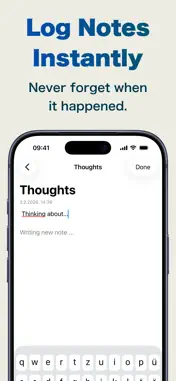


Description
Never forget when it happened. Chronote captures your thoughts instantly — with automatic timestamps on every note. Quick, clean, and chronological: perfect for journaling moments, logging activities, tracking ideas, or building a reliable daily log. Jot down anything in seconds: a fleeting idea, meeting takeaway, symptom, habit, or random memory. Chronote adds the exact date & time automatically — no manual entry needed. Review your notes in a beautiful timeline view, organized by time and grouped into custom topics. Whether you're reflecting on life, documenting projects, or simply never wanting to wonder "when did I write that?", Chronote keeps your thoughts dated, organized, and always accessible.
What's New
Version 2026.2 2026-08-03
Your notes can now leave this device — and find their way back. iCloud sync Notes sync automatically across every device signed in to the same Apple Account. S... Technical Analysis
Package Overview Basic metadata
Bundle ID
app.devpie.Logbuch Current Version 2026.2
Minimum iOS 26.2
Package Size App Store Size
Package Metadata 2 / 2 version records
Detailed binary, privacy manifest, framework, and Info.plist results have not been indexed for this package yet. The verified App Store and archive metadata above remains available.
Developer Information
Known Version Records
2 version records with stored package metadata
Stored metadata does not guarantee a package is currently available to download.
| Details | Version / IDs | Version date | Action |
|---|---|---|---|
| 733.0 KB | v2026.2 App Store ID: 889233215Build: 2026.2 | 2026-08-03 22:57:56 | Get Version |
| 733.0 KB | v2026.2 App Store ID: 882118543Build: 2026.2 | 2026-08-03 22:57:56 | Get Version |