Preview



Description
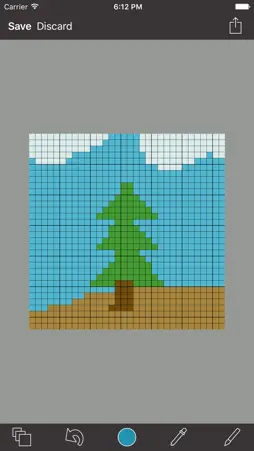
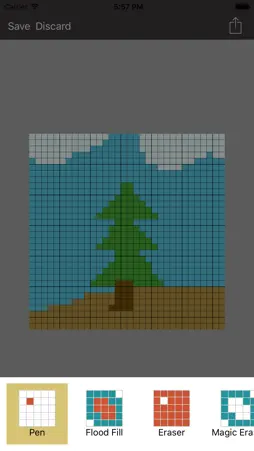
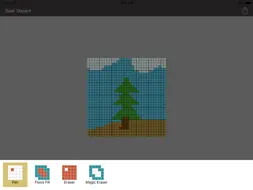
Create 8-bit pixel art for games or for fun. Easy to use features - Color Dropper takes away the guess work - Undo your edits one at a time or throw them all away - Zoom in to work on a select area of pixels. Say goodbye to big finger accidents ;) Multiple canvass sizes - 8x8,16x16, and 32x32 right out of the box. - Custom sizes are available for a one time in-app purchase and upgrade to PRO. Useful - Make sprites for your games - Have fun and be creative - Export to PNG to preserve image quality - Export to three pixel sizes. 10, 20, or 30 final image pixels to one original pixel. - Custom canvass sizes with pro mode Multiple paint modes - Single Pixel (tap) - Range (drag) - Flood fill -- save your self some taps and swipes. All these features for free. No ads. Never! Thank you for using PixelBoard.
What's New
Version 2.0 2015-12-03
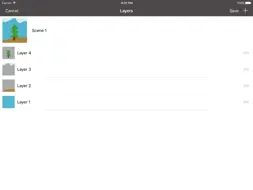
LAYERS!!! Technical Analysis
Package Overview Package analysis available
Bundle ID
com.martinjnash.pixelboard Current Version 2.0
Minimum iOS 9.0
Package Size Latest Recorded Package Size
Package Metadata 1 / 5 version records
Enogu
com.martinjnash.Enogu v1.0iOS 8.1+485.39 KB
1.2 / 5.0 (6 ratings)
Developer Information
Known Version Records
1 version record with stored package metadata • 5 known version records
Stored metadata does not guarantee a package is currently available to download.
| Details | Version / IDs | Version date | Action |
|---|---|---|---|
 4.5 MB | v2.0 App Store ID: 841493198Build: 12 | 2021-04-16 12:26:58 | Get Version |
| Not archived | App Store ID: 812777363 | Unknown | Request Version |
| Not archived | App Store ID: 812710782 | Unknown | Request Version |
| Not archived | App Store ID: 812641237 | Unknown | Request Version |
| Not archived | App Store ID: 811508516 | Unknown | Request Version |