Preview





Description
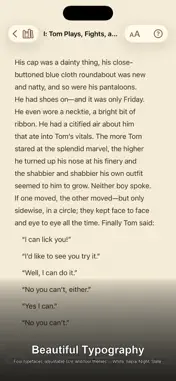
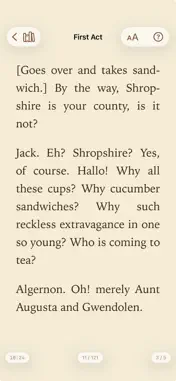
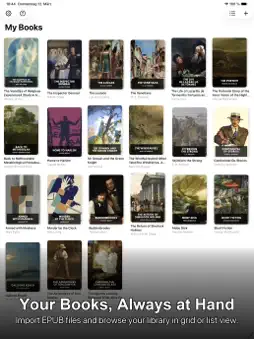
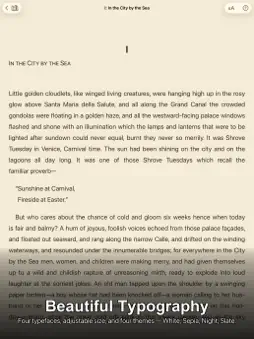
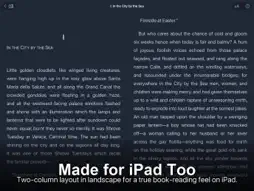
Babel Reader is a clean, distraction-free EPUB reader for iPhone and iPad. Import your books, read with beautifully crafted typography, and translate any paragraph with a single tap — all without sending a single byte to any server. READING EXPERIENCE • One menu for everything while you read: contents, search, translation, appearance, and bookmarks • Two ways to read: page-by-page layout with smooth swipe navigation, or continuous scrolling • Page numbers for the whole book, as in a printed edition — worked out for your device, font, and text size, and the same in page and scroll mode • Distraction-free by default: just the text and a discreet progress indicator — page number, percentage, or page dots, as you prefer. A tap brings back the controls and the clock • Portrait and landscape support (two-column pages in landscape) • Ready for iPhone Duo: adapts to the new foldable and makes full use of its large inner display • Four reading themes: White, Sepia, Night, and Slate • Five typefaces: Georgia, Palatino, Baskerville, Iowan Old Style, and System • Adjustable text size and line spacing • Each book remembers its own display settings — font, size, line spacing, and theme • Optional hyphenation and text alignment (flush left, justified, flush right, centred) • Full-screen image viewer: tap any illustration and pinch to zoom FIND YOUR WAY • Contents with chapters and their sections — even in books that put everything into a single file • Links inside the book, such as footnotes and cross-references, take you straight to where they point • Search within the current chapter or across the entire book, in page and scroll mode — the arrows carry on into the next or previous chapter • Bookmarks: save any passage, rename it in your own words, and jump straight back to it — synced across your devices via iCloud TRANSLATION • Tap any paragraph to translate it in place • Tap again to restore the original • Translation runs entirely on your device — no text leaves your iPhone or iPad • Supports 20+ languages including Arabic (with full RTL support), Chinese (Simplified & Traditional), Dutch, English, French, German, Hindi, Indonesian, Italian, Japanese, Korean, Polish, Portuguese, Russian, Spanish, Thai, Turkish, Ukrainian, and Vietnamese • Optional Read Aloud & Share: have the original or the translation read aloud, or share either via any app on your device YOUR LIBRARY • Import EPUB files from Files, Mail, Safari, and any other app that supports Share Sheet • Organise your books into Collections • Grid or list view • Sort by date added, title, author, language, or most recently read • Edit book title, author, and language metadata • Export your entire library to a folder and import it again — as a backup or to move to a new device • iCloud sync: keep your entire library and reading progress in sync across all your Apple devices (optional, uses your private iCloud account) AVAILABLE IN 7 LANGUAGES The app interface is fully localised in English, German, French, Dutch, Spanish, Italian, and Polish. PRIVACY FIRST Babel Reader collects no personal data. It contains no advertising, no analytics, and no third-party tracking of any kind. On-device translation never sends your text to a server. iCloud sync uses only your own private iCloud account — your data is never accessible to the developer. EPUB FORMAT Babel Reader supports EPUB 2 and EPUB 3 files. PDF, MOBI, and AZW3 are not supported in this version.
What's New
Version 2.0 2026-10-23
New • A redesigned reader: one menu holds everything you need while reading — contents, search, translation, appearance, and bookmarks. The page itself stays fr... Technical Analysis
Package Overview Basic metadata
Bundle ID
com.humanfactors.de.BookReader Current Version 2.0
Minimum iOS 18.6
Package Size App Store Size
Package Metadata 0 / 0 version records
Detailed binary, privacy manifest, framework, and Info.plist results have not been indexed for this package yet. The verified App Store and archive metadata above remains available.
Developer Information
Known Version Records
0 version records with stored package metadata
Stored metadata does not guarantee a package is currently available to download.
| Details | Version / IDs | Version date | Action |
|---|