Preview




Description
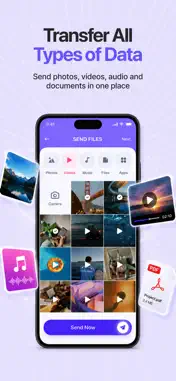
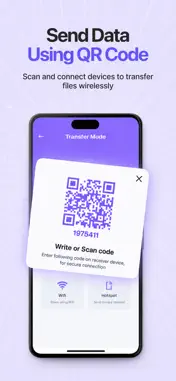
Disclaimer: This app requires a paid subscription to access all features. Free version includes ads. Switching to a new phone? DataClone: Transfer Files App transfers everything from your old phone to your new one in minutes. Contacts, messages, photos, videos, apps, call logs, documents, and settings all copied wirelessly with no cables, no cloud required, and no data left behind. Whether you are upgrading to a new Android, switching from iPhone to Android, or simply backing up your device, our phone clone app makes the entire process fast, secure, and completely hassleless. — HOW IT WORKS — Install the app on both your old and new phone. Connect them to the same Wi-Fi network or use our direct Wi-Fi hotspot mode when no network is available. Select the data you want to transfer and tap Start. The app handles the rest copying everything across in one seamless transfer session. — WHAT YOU CAN TRANSFER — Contacts & Call Logs Copy all your contacts and full call history from your old phone to your new one instantly. No manual entry, no missing numbers. Photos & Videos Transfer your entire camera roll, screenshots, and downloaded media in full original quality. Nothing compressed, nothing lost. Messages & Chat Backup Copy your SMS and MMS messages to your new device so your conversation history follows you. Apps & App Data Clone installed apps to your new phone without needing to re-download each one individually from the Play Store. Documents & Files Transfer PDFs, Word files, spreadsheets, downloads, and any other documents stored on your phone. Settings & Preferences Copy Wi-Fi passwords, wallpapers, ringtones, and other personal settings so your new phone feels like home from day one. — KEY FEATURES — Phone Clone: One Tap Transfer Clone your entire phone to a new device with a single tap. Our smart transfer engine detects both devices automatically and starts the migration without any technical steps. iPhone to Android Transfer Moving from iOS to Android? Copy My Data supports cross-platform transfer of contacts, photos, videos, and documents from your iPhone to your new Android device. No Internet Required Use our direct Wi-Fi hotspot connection mode to transfer data between phones without needing a router or active internet connection. Works anywhere, anytime. Fast Transfer Speed Transfer gigabytes of data in minutes using high-speed local Wi-Fi technology. No throttling, no limits as fast as your network allows. Secure & Private All data is transferred directly between your two devices using encrypted local transfer. Nothing is uploaded to the cloud or shared with any third party. Your data stays yours. Selective Transfer Choose exactly what you want to copy, transfer everything or pick only specific categories like contacts, photos, or messages. You are always in full control. — WHO IS IT FOR — - Anyone upgrading to a new Android phone - People switching from iPhone to Android - Users who want a full phone backup without cloud storage - Anyone who wants to clone their phone before a factory reset — IMPORTANT NOTE — This app transfers data between devices over a local Wi-Fi connection. For iPhone to Android transfer, certain data types such as iMessages and App Store apps cannot be transferred due to Apple platform restrictions. All transfers are encrypted and stored locally on your devices only. Download DataClone: Transfer Files App today and make switching phones the easiest thing you do all year. Privacy Policy: https://www.markconapps.com/privacy-policy.php Terms of Service: https://www.markconapps.com/terms-conditions.php
What's New
Version 1.0.1 2026-06-25
Bug Fixes Technical Analysis
Package Overview Basic metadata
Bundle ID
com.transfer.data.markcon Current Version 1.0.1
Minimum iOS 15.1
Package Size App Store Size
Package Metadata 1 / 2 version records
Detailed binary, privacy manifest, framework, and Info.plist results have not been indexed for this package yet. The verified App Store and archive metadata above remains available.
Developer Information
Known Version Records
1 version record with stored package metadata • 2 known version records
Stored metadata does not guarantee a package is currently available to download.
| Details | Version / IDs | Version date | Action |
|---|---|---|---|
| 92.25 MB | v1.0.1 App Store ID: 887270858Build: 1.0.1 | 2026-06-25 10:19:35 | Get Version |
| Not archived | App Store ID: 885615312 | Unknown | Request Version |