Preview




Description
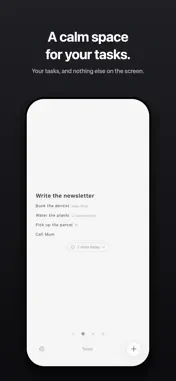
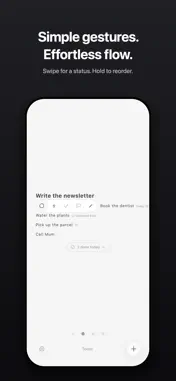
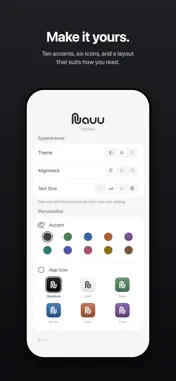
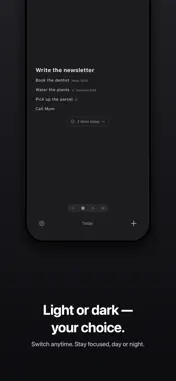
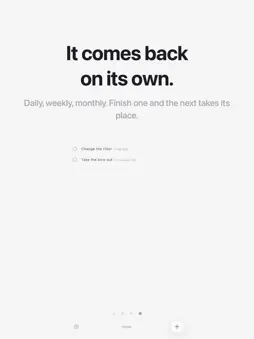
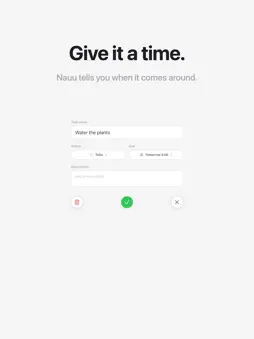
Nauu is a to-do list that gets out of the way. No streaks to keep up, nothing shouting for attention. Just your tasks, in the order you want them, on a screen with nothing else on it. WRITE IT DOWN, MOVE IT ALONG Add a task and it is on the list. Tap it to finish it. Swipe right to pick a status — to do, in progress, done or flagged — and swipe left to delete. Touch and hold to pick a task up and drag it where it belongs. Only one task at a time can be In Progress, and it is the loudest thing on the screen. It is the one you are doing. Finished tasks step aside into a single line under the list: out of the way, still there. Delete something by mistake and you have a few seconds to undo it. A LIST FOR EVERY CORNER OF THINGS Shopping, work, the trip in October. Swipe between them, and make as many as you like. MAKE IT LOOK HOW YOU THINK Ranged left, centered or right. Bigger text, or smaller. Hide the status icons for a list that is nothing but words — then choose whether a tap finishes a task or opens it, because it should do the one you reach for most. Hide the controls entirely and let the screen go quiet while you work. Light, dark, or whatever your phone is already on. Lock Nauu behind Face ID, and it locks again the moment you leave. THE SMALL THINGS Tap the empty space under a list to start a new task — one tap, not two. Hold that same space and paste a list from Notes, Messages or an email, and every line becomes a task. NAUU PRO One purchase. No subscription. • Widgets — your current task on the Home and Lock Screen, and you can tick it off without opening the app • Due dates — give a task a time, and Nauu says so when it comes • Repeating tasks — daily, weekly, monthly. Finish one and the next takes its place, already dated • Descriptions — room for the details, kept out of sight until you need them • Siri and Shortcuts — add and finish tasks without opening the app • iCloud sync — the same tasks on every device • Shared lists — share a list with anyone, and whoever joins does not need Pro • History and stats — everything you have finished, with a quiet look at your week • Ten accent colors and six app icons Your lists stay free and unlimited, whether you buy Pro or not.
What's New
Version 2.0 2026-09-16
Nauu Pro is here — one purchase, no subscription. • Widgets — your current task on the Home and Lock Screen. Tick tasks off without opening the app. • Due date... Technical Analysis
Package Overview Basic metadata
Bundle ID
work.codebit.nauu Current Version 2.0
Minimum iOS 26.0
Package Size App Store Size
Package Metadata 0 / 3 version records
Detailed binary, privacy manifest, framework, and Info.plist results have not been indexed for this package yet. The verified App Store and archive metadata above remains available.
Developer Information
Known Version Records
0 version records with stored package metadata • 3 known version records
Stored metadata does not guarantee a package is currently available to download.
| Details | Version / IDs | Version date | Action |
|---|---|---|---|
| Not archived | App Store ID: 881082460 | Unknown | Request Version |
| Not archived | App Store ID: 880942862 | Unknown | Request Version |
| Not archived | App Store ID: 879465629 | Unknown | Request Version |