Preview


Description
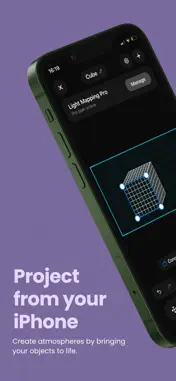
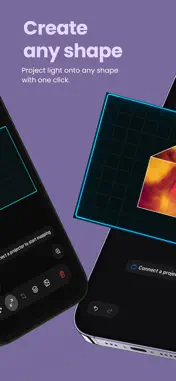
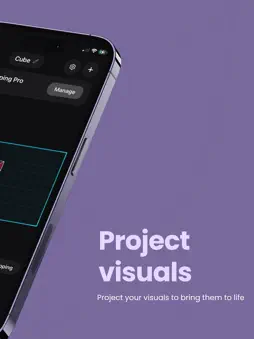
Light Mapping turns your iPhone into a real-time projection mapping studio. Point, drop the corners, project. No laptop, no After Effects, no three-hour setup. Whether you're prepping a party in your living room, building a light installation for an event, dressing a club, mapping a façade for a concert, or just casting visuals that dance on your wall everything happens from your phone in a few taps. ▸REAL-TIME MAPPING Add as many shapes as you want (rectangles, triangles, circles, or contours auto-traced from an image). Adjust every corner pixel-perfect so it hugs the surface you're projecting on. What you see in the editor is what lands on the wall, live. ▸ VISUALS WITH NO LIMITS Fill your shapes with photos from your library, videos, built-in animated effects, or solid colours. Each shape can carry its own media — or share a single visual stretched across several shapes ("Across Layers") for continuous mapping across a triptych, façade, or wall run. ▸ CONNECTS TO ANYTHING Works with: • AirPlay (Apple TV, compatible TVs) • HDMI via USB-C or Lightning adapter • Any standard HDMI video projector ▸ FLEXIBLE ORIENTATION Projector mounted sideways? Mapping onto a door, column, or arch? Rotate the projection frame 90° and compose directly in portrait. ▸ USE CASES • Content creators — reuse the same setup for TikTok, Reels, YouTube Shorts • DJs & VJs — real-time visuals across club walls and ceilings without pro gear • Visual artists — mock up an installation before setting it up for real • Weddings & events — decorative projections on walls, ceilings, floral arches • Interior design — turn your bedroom into a cinema, aquarium, or starlit sky ▸ SIMPLE WORKFLOW 1. Open a project, add a shape 2. Drag the corners onto your surface 3. Pick a visual (your photo library, a video, an effect) 4. Connect to your projector (AirPlay or HDMI) 5. Project and save the project for next time ▸ NO HEAVY SETUP No computer, no pro software, no endless cables. Your iPhone plus a projector is enough. LIGHT MAPPING PRO SUBSCRIPTION Unlock every feature with a monthly, annual, or one-time lifetime purchase. The 3-day free trial lets you try before you pay. Payment will be charged to your Apple ID account at confirmation. Subscriptions auto-renew unless cancelled at least 24 hours before the end of the current period. Manage your subscription in Settings > Apple ID > Subscriptions. Privacy Policy: https://lightmapping.notion.site/Privacy-Policy-Light-Mapping-3a5bf613eb41803c9801c083c346f94c Terms of Use: https://lightmapping.notion.site/Terms-of-Use-Light-Mapping-3a5bf613eb4180639bf4d24b3bf9ffcc
Technical Analysis
Package Overview Basic metadata
Bundle ID
com.lightmapping.app Current Version 1.0.0
Minimum iOS 15.1
Package Size App Store Size
Package Metadata 0 / 0 version records
Detailed binary, privacy manifest, framework, and Info.plist results have not been indexed for this package yet. The verified App Store and archive metadata above remains available.
Developer Information
Known Version Records
0 version records with stored package metadata
Stored metadata does not guarantee a package is currently available to download.
| Details | Version / IDs | Version date | Action |
|---|