
Preview
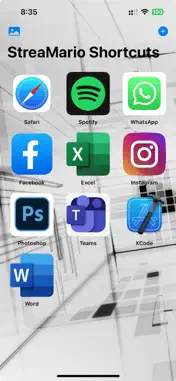
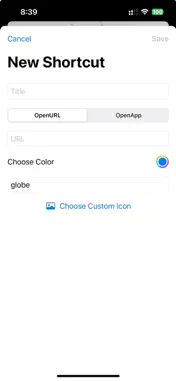
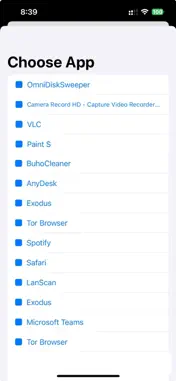

Description
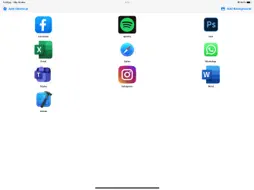
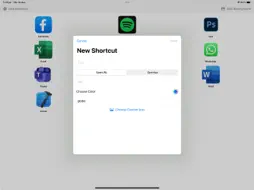
The application has two faces. Face one is to install on your iPhone or iPad and face two, is to install it on your MacBook. When you launch the application on your MacBook, it reads all your apps installed and creates a list for your iPhone. Don't try to do anything from the application on the Mac OS, it is just like a server. From iPhone's side you can start the app and you press the Add Shortcut button and then you can create a shortcut. You can give the name you want and also you can download an icon png from internet and choose it for your shortcut. Then you only need to press the choose button and you will see the list of your apps that MacBook send. Choose your app and thats it. Now you can tap the shortcut and the app it will open on your MacBook. After you will create you shortcuts from your iPhone or iPad , the shortcuts will appear also at the MacOS and yes, you can click a shortcut and it will open the app you want, but mainly the app is created for usage from iPhone or iPad.
What's New
Version 1.1 2026-01-11
We replace the type of database so now the app works faster. Technical Analysis
Package Overview Basic metadata
Bundle ID
com.marios.StreaMario Current Version 1.1
Minimum iOS 16.6
Package Size App Store Size
Package Metadata 0 / 2 version records
Detailed binary, privacy manifest, framework, and Info.plist results have not been indexed for this package yet. The verified App Store and archive metadata above remains available.
Developer Information
Known Version Records
0 version records with stored package metadata • 2 known version records
Stored metadata does not guarantee a package is currently available to download.
| Details | Version / IDs | Version date | Action |
|---|---|---|---|
| Not archived | App Store ID: 881401433 | Unknown | Paid / Arcade |
| Not archived | App Store ID: 880419446 | Unknown | Paid / Arcade |