
Preview




Description
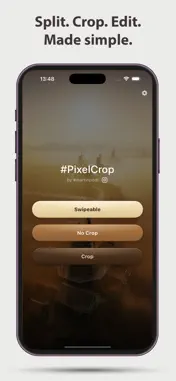
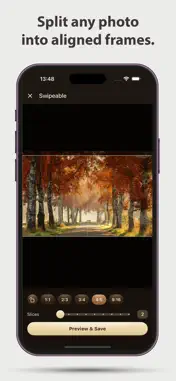
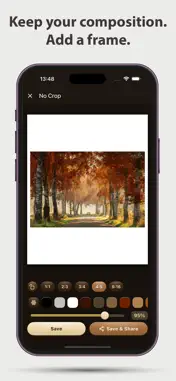
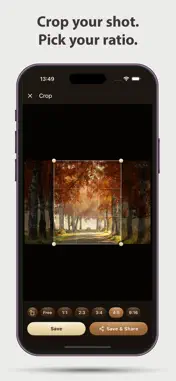
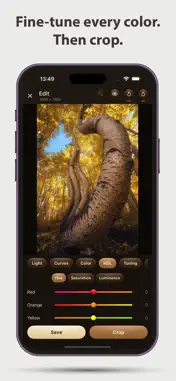
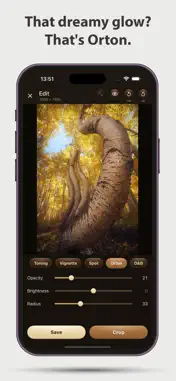
Built by landscape photographer Martin Podt, PixelCrop brings the same framing and editing tools he uses in his own workflow, designed for photographers who value precision, simplicity, and privacy. PixelCrop gives you precise control over how your photos are framed, split, and presented, with a built-in editor for fine-tuning every detail. Fast, clean, no ads. Free to use. Upgrade to Pro for all features. No ads, no tracking, no data collection. Just your photos, exactly as you want them. MULTI-FRAME SPLIT - Split any wide photo into precisely aligned frames - Preview each frame before saving - Choose aspect ratio: 1:1, 3:2, 4:3, 5:4, or 16:9 - Files saved with original filename and frame number - Free: up to 3 frames | Pro: up to 10 frames FLEXIBLE FRAMING (Pro) - Fit portrait or landscape photos into any aspect ratio without losing content - Add a solid color background or a blurred extension of the photo - Scale and adjust positioning freely - Preserve full compositions without forced cropping CROP - Crop your photo and save it directly to your photo library - Free: 4:5 portrait ratio - Pro: all aspect ratios - 1:1, 3:2, 4:3, 5:4, 16:9, and free crop EDIT (Pro) - Fine-tune your photo before you crop or export - Adjust light: exposure, contrast, highlights, shadows, whites, blacks - Color grading and white balance - HSL: control hue, saturation, and luminance per color channel - Tone curves for precise control - Split toning: apply color tints to shadows and highlights separately - Dodge & Burn: lighten or darken specific areas with a brush - Vignette effect - Spot light: add a bright, moveable light spot with adjustable color - Orton effect: add a dreamy, glowing look - Resize to 1500px for web-ready output - Before/after preview with one tap - Reset adjustments per category or all at once - Optional: hide the Edit button if you don't need it PIXELCROP PRO Unlock all features with a one-time purchase: - Flexible Framing mode - Edit mode - Multi-frame split up to 10 frames - All aspect ratios in Crop mode - All future Pro features Try Pro free for 14 days - no commitment required. SETTINGS - Remember your last-used settings per mode - Pick photos from your photo library or from the Files app - Light, dark, or system theme PRIVACY Your privacy matters. PixelCrop: - Does NOT collect any personal data - Does NOT use analytics or ads - All processing happens on your device - No internet connection required to use the app Privacy Policy: https://pixelcrop-ios-6d0c5b.gitlab.io/ Terms of Use (EULA): https://www.apple.com/legal/internet-services/itunes/dev/stdeula/ Built with care by photographer Martin Podt - www.martinpodt.com
What's New
Version 1.1.1 2026-11-12
- Crop: pinch to zoom in and crop even small parts of a photo - Crop: drag with two fingers to move the zoomed photo, double-tap to zoom out again Technical Analysis
Package Overview Basic metadata
Bundle ID
com.martinpodt.pixelcrop Current Version 1.1.1
Minimum iOS 17.0
Package Size App Store Size
Package Metadata 0 / 4 version records
Detailed binary, privacy manifest, framework, and Info.plist results have not been indexed for this package yet. The verified App Store and archive metadata above remains available.
Developer Information
Known Version Records
0 version records with stored package metadata • 4 known version records
Stored metadata does not guarantee a package is currently available to download.
| Details | Version / IDs | Version date | Action |
|---|---|---|---|
| Not archived | App Store ID: 885304031 | Unknown | Request Version |
| Not archived | App Store ID: 885301604 | Unknown | Request Version |
| Not archived | App Store ID: 885211108 | Unknown | Request Version |
| Not archived | App Store ID: 884413823 | Unknown | Request Version |