Preview


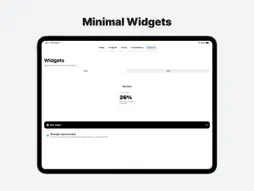
Description
See Where Your Time Goes -> Make Every Day Count Track the passage of time like never before with WhatsLeft — an elegant time awareness app for your day, week, month, year, countdowns, focus sessions, and the moments that matter most. Key Features: - Track Time in Real Time – See progress through today, this week, this month, and the full 365/366-day year - Custom Countdowns – Track birthdays, vacations, anniversaries, holidays, deadlines, goals, and milestones - Focus Timer – Start focused work sessions with flexible timer presets - App Blocking – Hide distracting apps during Focus sessions or block them until you decide to stop - Today Dashboard – See your day progress, remaining awake time, next countdown, and focus status - Smart Reminders – Get calm reminders before the day slips away - Customize Your Experience – Supports Light, Dark, and System appearance modes - Interactive Widgets – Tap any widget to open an elegant progress, countdown, or year preview - Multiple Display Options – Choose styles and sizes for Home Screen, Lock Screen, and Apple Watch Widget Collection: - Orbit Widget – Watch Earth complete its orbit around the Sun - Year Dots – See every day of the year in one clean 365/366-day overview - Liquid Widget – A smooth, circular progress indicator with a percentage display - Day Counter – Track passed or remaining days with fully customizable colors - Yearglass – A mesmerizing hourglass animation for the year - Progress Ring – A sleek circular progress indicator with percentage tracking - Progress Ring Statistics – Includes total days and a detailed view - Time Line – A minimalist progress bar for a clean, distraction-free overview - Time Line Statistics – Displays total days and progress - Days Until – Count the days until birthdays, vacations, anniversaries, holidays, deadlines, and more! - Lock Screen Widgets – Keep progress and countdowns visible App Features: - Today Dashboard – See live progress, remaining awake time, your next countdown, focus status, and quick actions - Progress Tracking – Track day, week, month, and year progress with clean visual meters - Create & share custom countdowns — display them on your Days Until widget instantly. - Focus Sessions – Choose from 15, 25, 45, 60, and 90-minute focus timers - Focus Live Activity – Keep your active focus session visible - App Blocking Setup – Select distracting apps and block them during Focus or until you stop - Time Awareness Reminders – Schedule daily reminders for your time, goals, and countdowns - Interactive Timeline – Scroll through the entire year in a 365/366-day view - Explore All Styles – A widget gallery lets you preview every style - Easy Setup Guide – Step-by-step widget installation - Personalized Onboarding – Set your main goal: focus, deadlines, screen time, habits, or your year - Multilingual Support – Available in English, French, German, Italian, Japanese, Korean, Portuguese, and Spanish Important Notes: - Widgets come in multiple sizes to fit any device layout - Lock Screen widgets are available for selected widget styles - App Blocking requires supported iOS Screen Time permissions Experience the flow of time like never before. See what’s left, protect your focus, and make every day count with WhatsLeft today. DISCLAIMER: A weekly, monthly, or yearly purchase will be applied to your iTunes account at the end of the 3-day free trial upon confirmation. Subscriptions automatically renew unless canceled at least 24 hours before the end of the current period. You can cancel anytime in your iTunes account settings. Any unused portion of the free trial will be forfeited if you purchase a subscription. Privacy policy: https://03-studios.com/whatsleft/privacy Terms of use: https://www.apple.com/legal/internet-services/itunes/dev/stdeula/
What's New
Version 2.0.0 2026-05-12
WhatsLeft is now more than a year progress widget app. - New Today Dashboard with day progress, remaining awake time, focus status, and your next countdown - Ne...WhatsLeft is now more than a year progress widget app. - New Today Dashboard with day progress, remaining awake time, focus status, and your next countdown - New Focus Timer with flexible session presets - App Blocking support to help protect your focus time - Time Awareness Reminders to help you stay mindful throughout the day - New Progress views for day, week, month, and year - Improved Countdown experience - Updated widget gallery with Home Screen and Lock Screen widgets - Focus Live Activity support - Personalized onboarding for your main time goal - Design refinements, performance improvements, and bug fixes Technical Analysis
Package Overview Basic metadata
Bundle ID
com.03-studios.Endline Current Version 2.0.0
Minimum iOS 17.0
Package Size App Store Size
Package Metadata 0 / 5 version records
4.5 / 5.0 (4 ratings)
Detailed binary, privacy manifest, framework, and Info.plist results have not been indexed for this package yet. The verified App Store and archive metadata above remains available.
Developer Information
Known Version Records
0 version records with stored package metadata • 5 known version records
Stored metadata does not guarantee a package is currently available to download.
| Details | Version / IDs | Version date | Action |
|---|---|---|---|
| Not archived | App Store ID: 885254412 | Unknown | Request Version |
| Not archived | App Store ID: 873944943 | Unknown | Request Version |
| Not archived | App Store ID: 873463480 | Unknown | Request Version |
| Not archived | App Store ID: 872697697 | Unknown | Request Version |
| Not archived | App Store ID: 872174019 | Unknown | Request Version |