Preview




Description
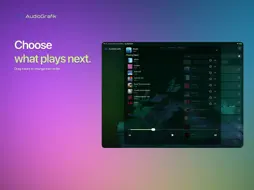
AudioGrafik is a real-time audio visualizer and VJing space for iPhone and iPad. Turn music into moving images with 24 scenes, 20 effects and compositions that evolve with sound. Play a track, choose a visual world and let the music shape what happens next. SEE YOUR MUSIC MOVE Bass, percussion, melodies and changes in energy bring the image to life. An impact can shake a material, a musical phrase can guide a flowing shape, and a build can change the composition. This music visualiser gives your listening a visual presence, from quieter passages to more intense moments, with forms and movement that respond to the audio. EXPLORE 24 VISUAL SCENES Electric Filaments brings vibrations and percussive flashes into view. Spectral Prism refracts coloured beams by day or night. Photon Race follows glowing bikes through turns, boosts and collisions. Herbarium grows an ink-drawn 3D garden with twirling leaves. Discover fluids, architecture, Fibonacci and Bloom too. RESHAPE THE IMAGE WITH 20 EFFECTS Work with Glass, Curved Glass, Prisms, Caustics, Webs and Rose. Try the panel divisions of Comics, the relief of Emboss, the patterns of Weave and the transformations of Polarisation. Change an association to see a familiar scene differently: move between organic forms and graphic structures, explore colour and depth, or bring out another texture in the music. 8 WAYS TO COMPOSE YOUR VISUALS Choose Scenes, Effects and Mixers independently. Explore Overlay, Fusion, Territories, Inlay, Erosion, Relay, Black Key and Imprint. Black Key reveals a scene through another’s dark areas; Imprint retains traces of their relief. Territories spreads up to three scenes across the screen, holds their positions longer, then moves them on a musical event. Choose the allowed methods and let the music shape the composition. No more than three scenes coexist, including during transitions. CHOOSE YOUR AUDIO SOURCE Search for a track in the online catalogue, import an audio file from Files or enable the microphone to respond to ambient sound. Bring your own compositions into the audio visualizer and discover how their changing energy translates into motion. In microphone mode, the picture reacts to sound around your device without playing that microphone input through its speakers. KEEP YOUR LISTENING ORGANIZED Find your favourites, recently played tracks and playlists. Add tracks to the queue and prepare what comes next. Open the expanded player to rearrange upcoming songs by dragging them into a different order. Keep the listening session moving while you explore your chosen scenes and effects. MAKE ROOM FOR THE PICTURE Immersion lets the controls move out of the way so the visualizer can fill the screen. Tap the image to bring them back, adjust your choices and continue listening. The interface adapts to portrait and landscape on iPhone and iPad, with a control panel suited to larger windows. Move between music, visuals and settings as part of the same session. RECORD AND SHARE A VIDEO Record the visuals together with sound. Stop recording to open the standard iOS share sheet, then share the video or keep it in Photos or Files using the available actions. Compare several combinations on the same passage to find a look that fits your music, from geometric scenes to more organic motion. The catalogue requires an Internet connection. Microphone access needs your permission and stops when the app goes into the background. Files must be accessible on your device before they can be opened. All scenes and effects in this version are available without in-app purchases. No AudioGrafik account is needed to get started. The online catalogue is provided through the SoundCloud API. AudioGrafik is an independent app. GIVE EACH COMPOSITION TIME TO UNFOLD Off-centre scenes hold their positions before a new musical impulse moves them. Watch contours, leaves and beams develop in depth, then try another combination to explore a different visual atmosphere.
What's New
Version 2.0.2 2026-11-04
24 SCENES, 20 EFFECTS AND 8 MIXERS AudioGrafik 2.0.2 adds new worlds and new ways to compose your audio-reactive visuals. FOUR NEW SCENES • Electric Filaments:... Technical Analysis
Package Overview Basic metadata
Bundle ID
com.audiografik.app Current Version 2.0.2
Minimum iOS 15.6
Package Size App Store Size
Package Metadata 0 / 2 version records
Detailed binary, privacy manifest, framework, and Info.plist results have not been indexed for this package yet. The verified App Store and archive metadata above remains available.
Developer Information
Known Version Records
0 version records with stored package metadata • 2 known version records
Stored metadata does not guarantee a package is currently available to download.
| Details | Version / IDs | Version date | Action |
|---|---|---|---|
| Not archived | App Store ID: 875043928 | Unknown | Request Version |
| Not archived | App Store ID: 874157803 | Unknown | Request Version |