
Preview






Description
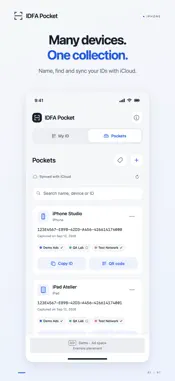
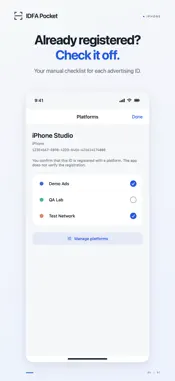
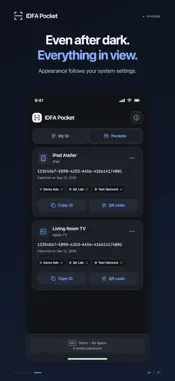
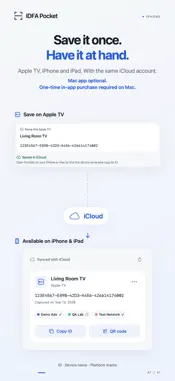
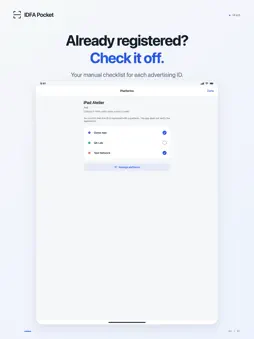
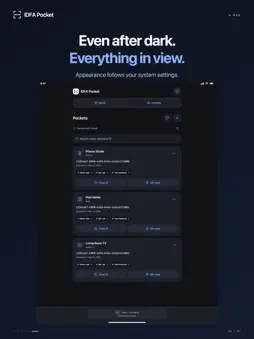
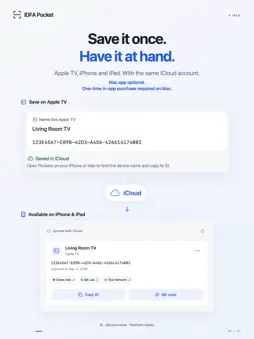
Your advertising IDs. In one place. IDFA Pocket helps you organize the advertising IDs of your test devices. View your own IDFA after granting permission, copy it, or save it with a distinctive device name. Import more IDs by QR code and keep track of your platforms. No purchase is required to use the iPhone, iPad or Apple TV apps. The optional Mac app requires a one-time in-app purchase to use. VIEW AND COPY YOUR ID “My ID” shows the current Identifier for Advertisers of your iPhone or iPad. The status explains whether a usable ID is available. “Copy ID” places just the identifier on your clipboard. ORGANIZE DEVICES IN POCKETS Save IDs with names and device types. Search your collection, add entries manually, rename them, copy them, or delete them. A capture date shows when each ID was saved. QR CODES WITH DEVICE NAMES Display an ID and its device name as a QR code, or scan a code with your camera. Import an Apple TV ID without typing a long identifier. Imported details remain editable and never replace your own live device ID. Camera images are neither saved nor uploaded. YOUR PLATFORMS, YOUR CHECKLIST Create your own platforms and choose their colors from presets, a color wheel, or a HEX value. For each saved ID, manually mark where you have already registered it. Names, colors and checkmarks help you find your way. The app does not register devices with ad networks or verify registration. SYNC WITH ICLOUD Sync your saved Pockets and platforms through your private iCloud collection. Use the same iCloud account on the devices you want to sync; on Apple TV, the selected user determines the account. On iPhone and iPad, you can also save locally while offline. A Mac is not required for these features. GOOD TO KNOW • A usable local IDFA requires Apple's tracking permission. If access is denied or restricted, you can still manage your collection and import QR codes. • Saved IDs are snapshots. If a device's ID changes, save the new ID again. • QR codes contain unencrypted ID and device details. Share them deliberately. QR transfer does not require the same iCloud account. • iCloud sync requires iCloud and an internet connection. • The iPhone and iPad app includes banner advertising. Saved Pockets are not sent to the advertising service. For iPhone and iPad with iOS or iPadOS 17 or later. Available in English and German, with system light and dark appearance.
What's New
Version 1.0.1 2026-10-18
We’ve improved performance and stability and fixed minor bugs for a smoother, more reliable experience. Technical Analysis
Package Overview Basic metadata
Bundle ID
com.manuel.idfapocket Current Version 1.0.1
Minimum iOS 17.0
Package Size App Store Size
Package Metadata 0 / 0 version records
Detailed binary, privacy manifest, framework, and Info.plist results have not been indexed for this package yet. The verified App Store and archive metadata above remains available.
Developer Information
Known Version Records
0 version records with stored package metadata
Stored metadata does not guarantee a package is currently available to download.
| Details | Version / IDs | Version date | Action |
|---|