
Preview



Description
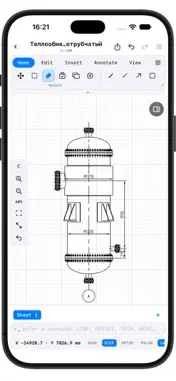
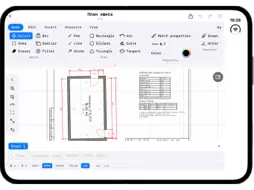
IM. CAD - by engineers, for engineers! Create, edit and format drawings wherever you work: on site, at the office or on the go. The app combines the precision of professional CAD with the convenience of a touchscreen. Drawing and editing: - Lines, polylines, arcs, circles, rectangles, text; - Precise snaps to endpoints, midpoints, centers, intersections and tangents; - Keyboard entry of coordinates and lengths, command line; - Editing tools: move, rotate, scale, mirror, trim, fillet; - Unlimited undo and redo; GOST-compliant drawing sheets: - Frames and title blocks, stamp editor; - Hatching, standard line weights and fonts; - Dimensions, including automatic ones; - Tables and schedules; - Drawing and print scales. Works with drawings from major platforms: - DXF import and export; - PDF and image underlays with automatic scale detection; - PDF export for printing and review; - Native .imdraw format for sharing between devices; Organized work with your projects: - Layers with visibility and lock controls; - Library of stencils and ready-made elements; - Folders and quick search across drawings; - iCloud sync across your devices; Easy to use: - Draw with a finger or Apple Pencil - Works in portrait and landscape - The toolbar collapses so the drawing fills the whole screen - Sample drawings are available right after installation Your drawings are stored on your device and in your iCloud. We do not collect or share your data.
Technical Analysis
Package Overview Basic metadata
Bundle ID
ru.manasin.imcad Current Version 1.0
Minimum iOS 17.6
Package Size App Store Size
Package Metadata 0 / 0 version records
Detailed binary, privacy manifest, framework, and Info.plist results have not been indexed for this package yet. The verified App Store and archive metadata above remains available.
Developer Information
Known Version Records
0 version records with stored package metadata
Stored metadata does not guarantee a package is currently available to download.
| Details | Version / IDs | Version date | Action |
|---|