Preview



Description
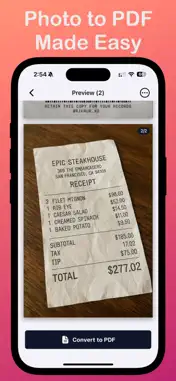
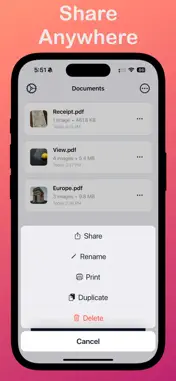
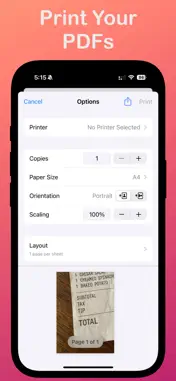
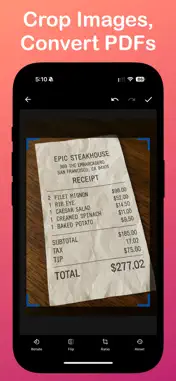
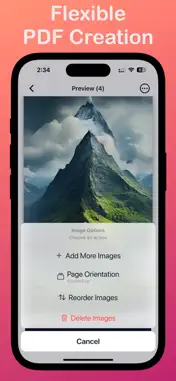
Convert Images to PDF Fast, Simple, and Offline Looking for a lightweight, private, and powerful app to turn your images into PDFs? Meet Image to PDF Converter your all-in-one tool for quickly creating, editing, organizing, and sharing PDFs from your photos. With a clean black and white interface, offline capability, and zero ads, this app makes it effortless to go from image to document in seconds. Whether you're scanning documents, converting receipts, organizing handwritten notes, or creating professional PDFs from images this app is built to keep things fast, clutter-free, and easy to use. Convert, Customize, Share Convert any image to PDF simply select your photos, choose a layout, adjust settings like orientation and paper size, and hit Convert. It's that simple. The app supports popular image formats including JPG, PNG, and HEIC. Once converted, your PDFs are instantly viewable and ready for any task: share, print, rename, duplicate, or organize them right from the app. Key Features That Just Work Image to PDF Conversion Select one or multiple images and convert them into a high-quality PDF file. Supports JPG, PNG, HEIC, and other common formats. Works fully offline your data stays on your device. Edit Before You Export Reorder images before conversion with simple drag and drop. Delete unnecessary images easily within the project. Basic image editing lets you crop and adjust before converting. PDF Management Made Simple Rename PDFs right in the app no file manager needed. Duplicate any PDF in one tap for backups or templates. Delete multiple PDFs at once to keep things organized. Easy Sharing and Printing Share a single PDF or select multiple PDFs to send at once via email, messaging apps, or cloud drives. Print PDFs directly from your phone to any AirPrint-compatible printer. Custom Layouts and Orientation Choose from multiple paper sizes like A4, Letter, Legal, Executive, and more. Set the orientation to portrait or landscape depending on your need. Dark Mode for Better Focus Comes with a beautiful dark theme to reduce eye strain and save battery on OLED screens. Why Use This App No Ads. Ever. No interruptions, no pop-ups. Just clean productivity. Privacy First. Everything stays on your device. No uploads, no tracking. Offline Ready. No internet? No problem. Every feature works completely offline. Minimal Interface. Designed with simplicity in mind. Focus on your work, not the UI. Fast and Reliable. Create PDFs in seconds, manage them with ease. Use Cases Scan and save receipts for budgeting or reimbursements Convert handwritten notes to neatly organized PDFs Submit assignments or documents in professional format Archive travel documents or passport photos quickly Create multi-page PDFs from your photo gallery or camera Print ID photos or forms from your phone on the go Whether you're a student, professional, freelancer, or just someone who likes keeping things neat this app has all the tools you need, without any unnecessary extras. Start converting your photos to clean, professional-looking PDFs anytime, anywhere. Download now and get more done, with less friction. Terms of use: https://www.apple.com/legal/internet-services/itunes/dev/stdeula/
What's New
Version 1.1.5 2026-09-07
- Performance enhancements - Bug fixes Technical Analysis
Package Overview Basic metadata
Bundle ID
com.mahesh.pdfConverter Current Version 1.1.5
Minimum iOS 15.6
Package Size App Store Size
Package Metadata 0 / 6 version records
Detailed binary, privacy manifest, framework, and Info.plist results have not been indexed for this package yet. The verified App Store and archive metadata above remains available.
Known Version Records
0 version records with stored package metadata • 6 known version records
Stored metadata does not guarantee a package is currently available to download.
| Details | Version / IDs | Version date | Action |
|---|---|---|---|
| Not archived | App Store ID: 886583963 | Unknown | Request Version |
| Not archived | App Store ID: 877135057 | Unknown | Request Version |
| Not archived | App Store ID: 876525930 | Unknown | Request Version |
| Not archived | App Store ID: 876517214 | Unknown | Request Version |
| Not archived | App Store ID: 875830574 | Unknown | Request Version |
| Not archived | App Store ID: 875593392 | Unknown | Request Version |