
Preview








Description
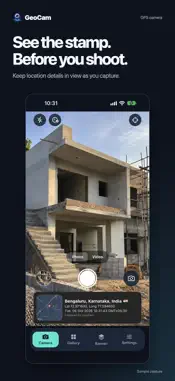
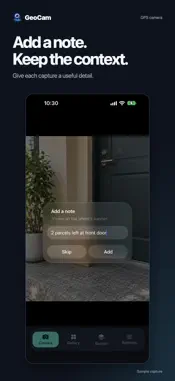
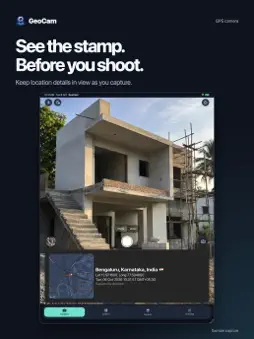
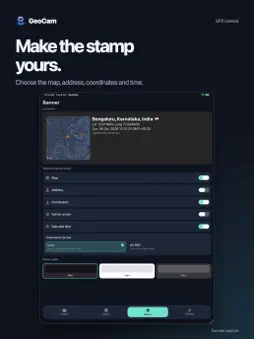
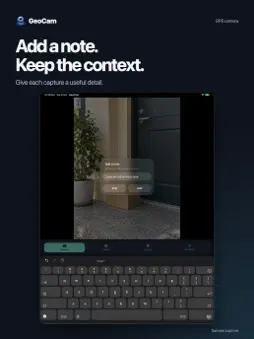
Keep time and place with the photos and videos you take for work. GeoCam adds a readable GPS map and timestamp banner below your capture, so the scene stays visible and its context is easy to find. Use it for site progress, property visits, service records, inspections, deliveries or travel notes. Open the camera, check the live banner, take a photo or record a video, then review and share the result. PUT CONTEXT IN THE CAPTURE • Show a map, address, latitude and longitude, and date and time. • Save photos with the banner below the image. • Record video and add a location and time banner to the saved clip. • See the stamp in the camera before you capture. CHOOSE THE DETAILS YOU NEED • Turn map, address, coordinates and timestamp fields on or off. • Add a short note for the job, visit or subject. • Choose a dark, light or glass banner style. A PRACTICAL CAMERA WORKFLOW • Choose a photo aspect ratio and resolution. • Use a self-timer for still photos. • Browse your GeoCam photos and videos in the gallery. • Open a capture to review it and use the device's share sheet. No account is needed for the capture workflow. Media is saved on your device; you decide when to share it. The app interface is in English. Location, map and address details depend on available device location and network data. GeoCam does not certify location accuracy or verify that a capture is authentic. Camera access is needed to capture; microphone access is used for video audio, and photo access is used where needed to save or browse media. GeoCam includes ads. See the Privacy Policy for advertising and optional diagnostics information.
What's New
Version 1.11 2026-10-30
• New adaptive layouts for iPhone Duo, with smoother transitions between closed, partially open and open screens. • A refreshed slate and jade color scheme, imp... Technical Analysis
Package Overview Basic metadata
Bundle ID
com.mot.gpscamera Current Version 1.11
Minimum iOS 16.0
Package Size App Store Size
Package Metadata 0 / 2 version records
Detailed binary, privacy manifest, framework, and Info.plist results have not been indexed for this package yet. The verified App Store and archive metadata above remains available.
Developer Information
Known Version Records
0 version records with stored package metadata • 2 known version records
Stored metadata does not guarantee a package is currently available to download.
| Details | Version / IDs | Version date | Action |
|---|---|---|---|
| Not archived | App Store ID: 884510898 | Unknown | Request Version |
| Not archived | App Store ID: 884408394 | Unknown | Request Version |