
Preview




Description
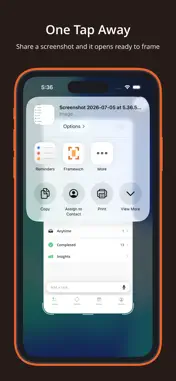
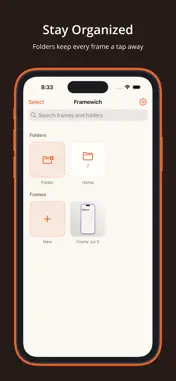
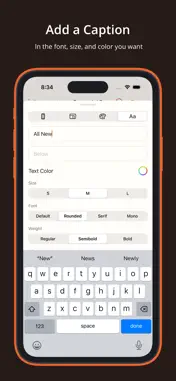
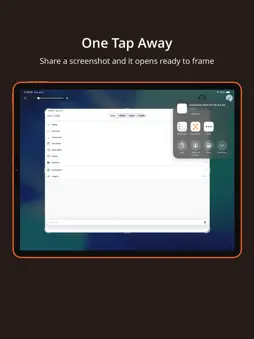
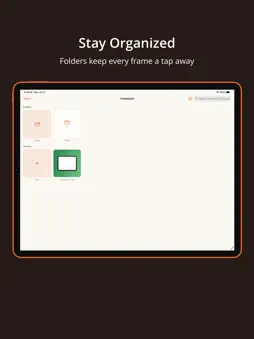
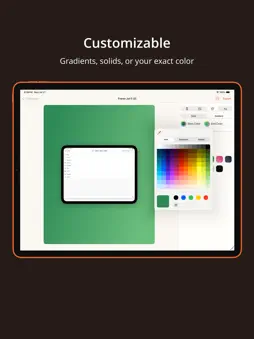
Framewich turns a plain screenshot into something worth sharing. You can drop any screenshot into a realistic device frame, set it against a background you actually like, and export a polished image in seconds, all without leaving your phone or opening a complicated design tool. Whether you are showing off your own app, putting together a quick tutorial, sharing a conversation, or building marketing images for the App Store, Framewich gives you a clean and genuinely fast way to make your screenshots look intentional. Import in a Tap You can send a screenshot straight from the share sheet the moment you capture it, or open the app and pick any image from your camera roll. Framewich reads the dimensions of your screenshot and chooses a matching device frame for you, so you are ready to start styling right away. Realistic Device Frames Wrap your screenshot in an iPhone or iPad frame that actually fits the shot, from the newest edge to edge models with the pill cutout all the way back to the classic home button look. You can pick a finish that suits the mood, add a soft or a stronger shadow for a sense of depth, and let the frame carry the whole image. Backgrounds That Fit Set any background color you want with a full color picker, pull a shade directly from your screen, or reach for one of the curated presets and warm gradients when you would rather move quickly. Everything updates live while you work, so you can settle on the right look without any guesswork. Sizes for Every Platform Resize your canvas to whatever ratio you need, whether that is a square for a feed post, a tall format for a story, or a wide format for a slide or a website. Your framed screenshot stays centered and stays sharp at every single size. Captions and Text You can add a line of text above or below your screenshot whenever a shot needs a little context. Choose the font style, the weight, and the color that match your message, and keep the whole thing clean and easy to read. Stay Organized Name the images you create, group them into folders, and search back through everything you have made. Your work is always waiting for you, so coming back to tweak an old project or spin up a variation takes only a moment. Export Anywhere When you are happy with the result, export a high resolution image and send it wherever you like, from your camera roll to a message, a social post, or a design tool. Your images stay on your device the entire time. Light and Dark Framewich looks right in whichever appearance you prefer, and you can move between system, light, and dark whenever the mood strikes. Built to Stay Simple There are no ads, no clutter, and nothing standing between you and a great looking screenshot. You just open it, frame it, and share it. Start making your screenshots look their best, and download Framewich today. Privacy Policy: https://www.lzctrl.com/policies/framewich-privacy-policy Terms of Use (Apple Standard EULA): https://www.apple.com/legal/internet-services/itunes/dev/stdeula Additional Terms of Use: https://www.lzctrl.com/policies/framewich-terms-of-use
What's New
Version v1.3.0 2026-09-27
Framewich 1.3.0 — Change Your Mind, Framed This release is about refining the flow: step backward and forward freely while you edit, frame Apple's new foldable... Technical Analysis
Package Overview Basic metadata
Bundle ID
com.lzctrl.Framewich Current Version v1.3.0
Minimum iOS 17.0
Package Size App Store Size
Package Metadata 0 / 2 version records
Detailed binary, privacy manifest, framework, and Info.plist results have not been indexed for this package yet. The verified App Store and archive metadata above remains available.
Known Version Records
0 version records with stored package metadata • 2 known version records
Stored metadata does not guarantee a package is currently available to download.
| Details | Version / IDs | Version date | Action |
|---|---|---|---|
| Not archived | App Store ID: 888934854 | Unknown | Request Version |
| Not archived | App Store ID: 887850449 | Unknown | Request Version |