Preview


Description
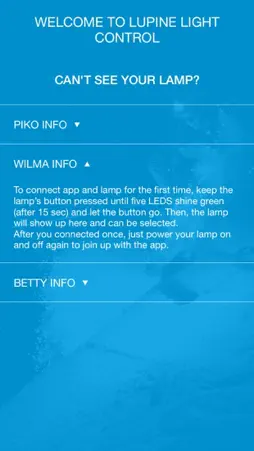
With Lupine Light Control, you have full control over your Lighting System. You can - Control the light directly from the app - Adjust the light levels - Set extras - Get information about your light (temperature, battery voltage, current power) To connect the light with Lupine Light Control for the first time you have to: Piko: Open the app, hold the button of the light pressed until the green LED lights up. Light and app will connect automatically. Wilma/Betty: Open the app, hold the button of the light pressed until 5 green LEDs light up. Release the button. Light and app will connect automatically.
What's New
Version 1.0.2 2017-06-26
Support for the new Piko with 1800 lumens. Technical Analysis
Package Overview Package analysis available
Bundle ID
de.lupine.app Current Version 1.0.3
Minimum iOS 8.0
Package Size Latest Recorded Package Size
Package Metadata 1 / 3 version records
Cartography
org.cocoapods.Cartography v1.1.0iOS 8.0+428.37 KB
Known Version Records
1 version record with stored package metadata • 3 known version records
Stored metadata does not guarantee a package is currently available to download.
| Details | Version / IDs | Version date | Action |
|---|---|---|---|
 21.13 MB | v1.0.3 App Store ID: 841525362Build: 29 | 2021-04-17 07:28:36 | Get Version |
| Not archived | App Store ID: 813954362 | Unknown | Request Version |
| Not archived | App Store ID: 813892841 | Unknown | Request Version |