Preview




Description
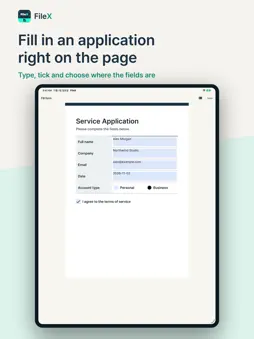
FileX turns paper into PDFs and scans back into documents you can edit. Open, edit and organize PDF, Word, Excel and PowerPoint files right on your phone or tablet. Your originals stay untouched — every change is saved as a new copy. WHAT'S IN FILEX • Open the HWP you received: from a chat or email attachment, choose Share or “Open in another app”, then FileX. • Scan documents: FileX finds the page edges, straightens the page and evens out light and shadows. Scan several pages in a row, reorder them and save one PDF. • ID cards: capture the front, then the back — both are placed at true size on a single A4 page. • Books: split an open book into two pages and flatten lines that curve toward the spine. • Scan to Word: turn scanned pages into Word, Excel, PowerPoint or a text PDF. Headings, paragraphs and tables are rebuilt in place. Results may differ from the original, so please review them. • Edit Word documents: bold, italic, underline, text size and color, paragraph alignment, table rows and columns, find and replace, images, undo and redo. • Text recognition: many languages your device supports, including English, Spanish, French, German, Japanese, Chinese and Arabic. Create searchable PDFs. • PDF tools: merge, split and reorder pages, sign, draw and add notes, reduce file size, add or remove a password. • Older Office files: .doc, .xls and .ppt open as modern copies you can edit. • Translate, read aloud and polish text on supported devices and languages. If a feature can't run on your device, FileX tells you why. • Library: a fresh home with folders, favorites, search inside documents, and a side-by-side preview on tablets and foldables. • Optional cloud: sign in with Google or Apple to store, share and co-edit only the files you choose. Edge finding and page flattening depend on the photo and may need a manual touch. Please review recognized text; supported languages vary by device and OS. FREE AND PRO Free: scanning (ID cards and books included), PDF saving, merging, splitting, page organizing and passwords, and document viewing. 5 saves per month for edited copies, HWP/HWPX/Excel/PowerPoint to PDF exports, and PDF signatures or notes; text recognition and searchable PDFs up to 5 pages per document; a first-page preview of document conversion; 1 GB cloud. Pro: unlimited saves and recognition, scan to Word/Excel/PowerPoint, export, PDF size reduction, translation, read-aloud, proofreading and summaries, and 10 GB cloud. Device, language and model limits still apply. Monthly and yearly subscriptions renew automatically. The 7-day free trial applies to the yearly plan only, for eligible new subscribers; unless canceled before the deadline shown by the store, it renews at the displayed price. See the store checkout for price and eligibility. Manage or cancel in your store account settings — deleting the app does not cancel. Purchase verification and restore need internet. PRIVACY Documents are processed on your device. Internet is used for purchase verification, the cloud storage you choose, language downloads and anonymous usage and error reports (can be turned off in Settings). Document contents are never sent for purchase checks. Privacy Policy: https://filex.dev/privacy Terms: https://filex.dev/terms Terms of Use (EULA): https://www.apple.com/legal/internet-services/itunes/dev/stdeula/
What's New
Version 0.5.19 2026-11-10
• Seal & signature maker: make a company seal, date stamp, approval box or handwritten signature and stamp it over text in PDF, Word, Excel and PowerPoint. HWP ...• Seal & signature maker: make a company seal, date stamp, approval box or handwritten signature and stamp it over text in PDF, Word, Excel and PowerPoint. HWP and HWPX are stamped as a PDF. • Export HWP, HWPX, Excel and PowerPoint to PDF (within free saves). Open a received HWP: Share → Open in another app → FileX. • Send & Receive: encrypted transfers over the same Wi‑Fi, a PC browser or other networks. • Request signatures right from the Tools tab. Technical Analysis
Package Overview Basic metadata
Bundle ID
com.lunalink.scandoc Current Version 0.5.19
Minimum iOS 18.0
Package Size App Store Size
Package Metadata 0 / 0 version records
Detailed binary, privacy manifest, framework, and Info.plist results have not been indexed for this package yet. The verified App Store and archive metadata above remains available.
Developer Information
Known Version Records
0 version records with stored package metadata
Stored metadata does not guarantee a package is currently available to download.
| Details | Version / IDs | Version date | Action |
|---|