Preview




Description
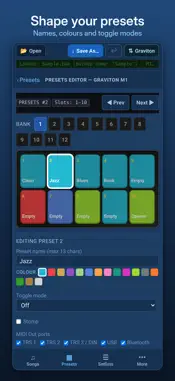
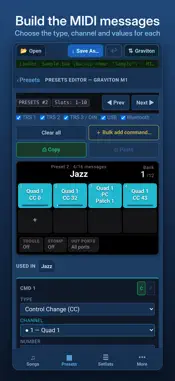
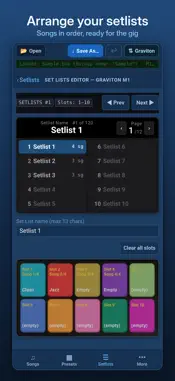
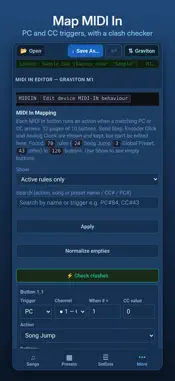
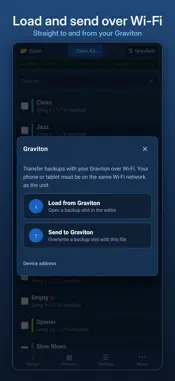
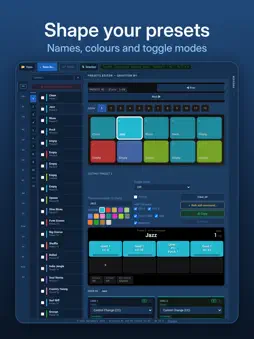
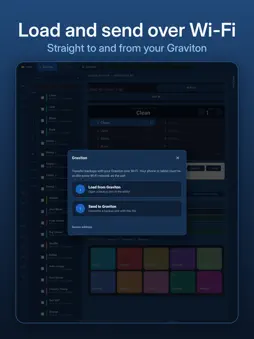
Graviton Editor edits backup files (.bak) from the Luminite Graviton M1 and M2 MIDI foot controllers. Plan your songs, presets and setlists on a phone or tablet, away from the unit's own screen. WHAT YOU CAN EDIT • Songs: names, the ten preset slots, the startup preset and song BPM • Presets: names, colours, toggle mode, MIDI Out ports and their MIDI messages • Setlists • MIDI In: the PC and CC triggers that jump to songs or fire presets, with a clash checker • SysEx messages, MIDI channel names and CC/PC labels • Hardware settings: F6W footswitch, expression pedals, jacks and Universal footswitch • Copy songs from another backup, and keep a library of songs to reuse LOAD AND SEND OVER WI-FI Load a backup straight from your Graviton, or send an edited one back, over your own Wi-Fi network. Choose the backup slot on the Graviton, press Export or Import, and the app does the rest. Sending overwrites the chosen slot, so keep a second copy of your setup in another slot. YOUR BACKUP, KEPT INTACT • Only the settings you change are changed. Everything else in the backup is saved exactly as it was. • Undo as you go, and save under a new name whenever you like. • Open and save backups through the Files app. • No account, no tracking and no data collected. Works offline. • Try the built-in sample backup without a Graviton. Graviton Editor is an independent app and is not made by Luminite. Always keep a copy of your original backup before editing.
What's New
Version 1.0.2 2026-11-18
Minor edits to improve Voiceover support for blind / partially-sighted users. Technical Analysis
Package Overview Basic metadata
Bundle ID
uk.co.luminapps.m12editor Current Version 1.0.2
Minimum iOS 15.0
Package Size App Store Size
Package Metadata 0 / 0 version records
Detailed binary, privacy manifest, framework, and Info.plist results have not been indexed for this package yet. The verified App Store and archive metadata above remains available.
Known Version Records
0 version records with stored package metadata
Stored metadata does not guarantee a package is currently available to download.
| Details | Version / IDs | Version date | Action |
|---|