
Preview



Description
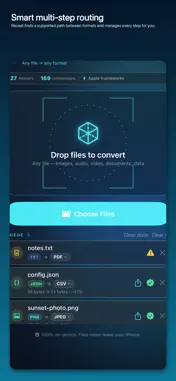
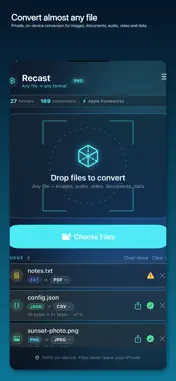
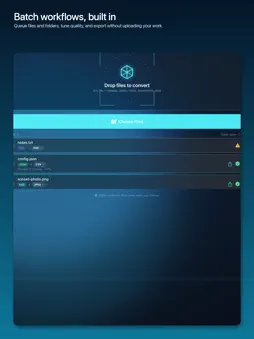
Recast is a private, multi-format conversion workspace for quick everyday jobs and demanding professional workflows. Drop or choose files, select an output format, and let Recast determine a supported conversion route using Apple’s native frameworks. CONVERT MORE TYPES OF WORK • Images: prepare photos and graphics for sharing, publishing, archiving, and the web • Documents and PDFs: create portable outputs for clients, classmates, teams, and records • Audio and video: produce compatible media outputs with clear progress and quality controls • Structured data: move between practical text and data formats such as CSV and JSON • Mixed queues: keep different file jobs together in one understandable workspace SMART CONVERSION ROUTING Some formats do not have a direct path. Recast’s capability graph can identify a supported multi-step route and coordinate the intermediate work for you. You see the chosen source and destination while Recast manages the details. BUILT FOR EVERYDAY USERS Convert iPhone images before sharing, turn notes into portable documents, prepare media for a presentation, or standardize downloaded files without uploading them to an unknown website. BUILT FOR PROFESSIONALS Queue batches, process folders, tune image and video quality, resize output, preserve metadata when supported, apply predictable naming, and review individual job status. Recast is useful for designers, developers, researchers, operations teams, content producers, and anyone who repeatedly prepares files for other systems. PRIVATE BY DESIGN Compatible App Store conversions run locally on your device. Recast does not upload your files, collect their contents, or require an account. Your source material stays under your control. SUBSCRIPTION Recast includes unlimited single-file conversion for free. Recast Premium adds multi-file batches, whole-folder conversion on Mac, and automatic workflows. Premium is available as a monthly or annual auto-renewable subscription shared across iPhone, iPad, and Mac. Eligible new subscribers can start with a one-week free trial. Subscriptions renew automatically unless cancelled in Apple Account settings; cancelled plans remain active through the end of the paid period. Terms of Use: https://www.apple.com/legal/internet-services/itunes/dev/stdeula/ Privacy Policy: https://github.com/lukekevinmclaughlin-oss/Recast/blob/main/PRIVACY.md
What's New
Version 1.1 2026-08-26
Recast 1.1 adds a clear free plan, optional monthly and annual Premium subscriptions, one-week trial eligibility, purchase restoration, subscription management,...Recast 1.1 adds a clear free plan, optional monthly and annual Premium subscriptions, one-week trial eligibility, purchase restoration, subscription management, verified StoreKit entitlements, and thoughtfully timed Premium and review prompts. Technical Analysis
Package Overview Basic metadata
Bundle ID
com.lukemclaughlin.recast Current Version 1.1
Minimum iOS 17.0
Package Size App Store Size
Package Metadata 0 / 0 version records
Detailed binary, privacy manifest, framework, and Info.plist results have not been indexed for this package yet. The verified App Store and archive metadata above remains available.
Known Version Records
0 version records with stored package metadata
Stored metadata does not guarantee a package is currently available to download.
| Details | Version / IDs | Version date | Action |
|---|