Preview



Description
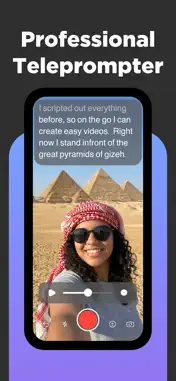
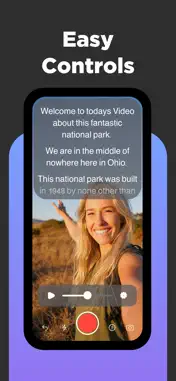
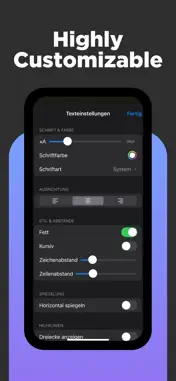
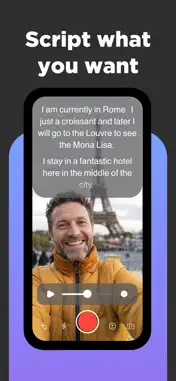
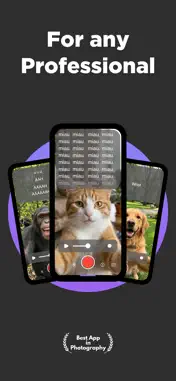
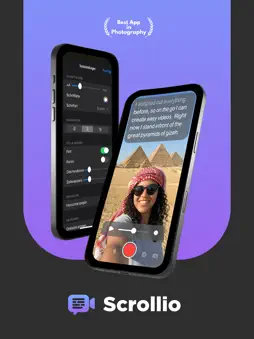
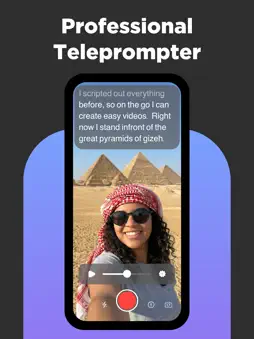
Scrolly Professional Teleprompter Read your script while looking directly into the camera. Scrolly turns your iPhone into a professional teleprompter, helping you create polished videos without memorizing a single line. Whether you are a creator, a professional, or an educator, Scrolly gives you the confidence to deliver your message flawlessly. The Challenge of Recording Videos We have all been there. You hit record and suddenly forget everything. You stumble over words or spend hours memorizing scripts, leading to endless retakes and wasted time. Even experienced speakers struggle under pressure, resulting in unnatural delivery. Traditional cue cards are awkward, and memorizing is just too stressful. How Scrolly Works Scrolly solves this by displaying your script on screen while you record. The text scrolls at your preferred speed, but here is the magic. Your audience never sees it. The overlay is invisible in your final video. You see the words, while your viewers see a confident presenter with perfect eye contact. Real Time Speed Control Control how fast the text moves in real time without stopping the recording. Speed up for energy or slow down for complex topics. The intuitive slider gives you complete control over your pacing, allowing the teleprompter to match your natural speaking voice. Professional Camera Features Use the front camera for vlogs or the back camera for high quality footage. On supported devices, you can switch between ultra wide, wide, and telephoto lenses. Scrolly also supports flash for low light and an innovative screen flash for front camera recording to keep your face illuminated. Customizable Text Display Make the text work for your eyes. Choose from over twenty fonts, adjust the size from small to extra large, and pick any color for optimal readability. You can also set text alignment and adjust spacing to ensure maximum legibility at any distance. Reading Guides and Visual Aids Stay on track with helpful aids. Enable markers on the sides, horizontal guide lines, or line highlighting that subtly emphasizes what you are currently reading. These features ensure you never lose your place, even during long sessions. Mirror Mode for Professional Setups If you use a beam splitter or a professional rig, Scrolly has you covered. Enable horizontal mirroring with one tap so your script appears correctly when reflected. It is the perfect companion for professional hardware. Countdown Timer If you are not ready the moment you hit record, enable a countdown timer. Choose between three, five, or ten seconds to take a breath and adjust your posture. This ensures every video starts with a strong and confident opening. Recording and Saving Options Save videos directly to your library with one tap. You can also enable a confirmation dialog to review each take before saving it. This helps you manage your storage and stay focused on creating content rather than managing files. Who Uses Scrolly Scrolly is for content creators on TikTok and YouTube who want to nail their lines. Business professionals use it for pitches and training, while educators create engaging online courses. Even students use it to reduce anxiety during video assignments. The Scrolly Advantage Maintain natural eye contact and build trust with your audience. You save time by eliminating the need for memorization and reducing retakes. You look professional and deliver smooth, polished content every single time. Terms of Use: https://sites.google.com/view/scrolly-teleprompter/terms-of-use Privacy Policy: https://sites.google.com/view/scrolly-teleprompter/privacy-policy Terms of Use (EULA): https://www.apple.com/legal/internet-services/itunes/dev/stdeula/
What's New
Version 1.1 2026-05-21
Bug fixes and constant improvements to the app. Technical Analysis
Package Overview Basic metadata
Bundle ID
com.lukaslutz.teleprompter Current Version 1.1
Minimum iOS 18.2
Package Size App Store Size
Package Metadata 1 / 2 version records
Detailed binary, privacy manifest, framework, and Info.plist results have not been indexed for this package yet. The verified App Store and archive metadata above remains available.
Known Version Records
1 version record with stored package metadata • 2 known version records
Stored metadata does not guarantee a package is currently available to download.
| Details | Version / IDs | Version date | Action |
|---|---|---|---|
| 14.86 MB | v1.1 App Store ID: 885974838Build: 1.1 | 2026-05-22 00:42:47 | Get Version |
| Not archived | App Store ID: 880866803 | Unknown | Request Version |