Preview


Description
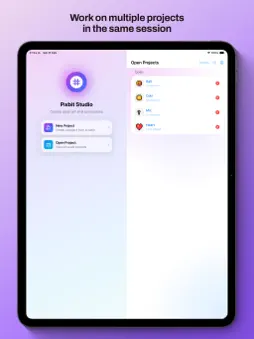
Create pixel art and animate sprites on your mobile and desktop devices. Pixbit Studio is a pixel editor with layers, frame-by-frame animation, onion skin, and sync across devices. Built for game developers, artists, and retro-style graphics creators. Free to use. Export up to 3 times to try all features. One-time purchase for unlimited exports. Drawing tools: -Pixel-perfect pencil (true pixel control) -Eraser, selection, move, bucket fill, eyedropper -Shapes: lines, rectangles, circles -Mirror: symmetrical drawing along horizontal, vertical, or both axes -Gradient -Grid with zoom support Frame-by-frame animation: -Timeline with per-frame duration editor and FPS presets -Loop modes: Loop, Once, and Ping-Pong -Onion skin to preview previous/next frames -Playback preview at different speeds Layers: -Multiple layers per frame -Show/hide, duplicate, reorder, lock -Layer thumbnails Color palettes: -Create custom palettes -Import palettes from images -Eyedropper tool -Apply any palette to your entire drawing in one tap — every pixel remapped to the closest palette color Tile preview: -Preview how your sprite tiles horizontally, vertically, or in all directions -Adjustable opacity for tile previews -Visual only — does not affect the canvas Export formats: -PNG with transparency -Animated GIF -Spritesheets (for game engines) -MP4 video Sync across devices: -Projects, palettes, and collections sync across all your devices Session tabs: -Keep multiple projects open at once during your session -Switch between related projects instantly from the start screen -Reorder and close tabs like a browser — tabs clear when you close the app Collections: -Organize projects into collections and subcollections -Multi-select collections and projects for bulk management
What's New
Version 2.0.8 2026-06-03
-Import animated GIF: import any GIF (or static image) directly as animation frames from your Photo Library or Files. -Selection mask: pencil, eraser, shapes, a...-Import animated GIF: import any GIF (or static image) directly as animation frames from your Photo Library or Files. -Selection mask: pencil, eraser, shapes, and gradient now draw exclusively inside the active selection — use it as a precise drawing mask. -Full undo/redo for selection: drawing a selection, deselecting, flipping, rotating, moving, and committing are all now fully undoable and redoable. -Fix: flip/mirror on a non-floating selection no longer crashes the app. -Project sharing: fixed importing shared projects, files now open correctly. -Duplicate project: new context menu option to duplicate any project; the copy gets its own name automatically. -Import respects filename: importing a renamed project now displays the file's name, not the original internal name. Technical Analysis
Package Overview Basic metadata
Bundle ID
com.lesscoded.Pixel-Draw-Studio Current Version 2.0.8
Minimum iOS 17.6
Package Size App Store Size
Package Metadata 0 / 1 version records
Detailed binary, privacy manifest, framework, and Info.plist results have not been indexed for this package yet. The verified App Store and archive metadata above remains available.
Known Version Records
0 version records with stored package metadata • 1 known version records
Stored metadata does not guarantee a package is currently available to download.
| Details | Version / IDs | Version date | Action |
|---|---|---|---|
| Not archived | App Store ID: 878087437 | Unknown | Request Version |