
Preview




Description
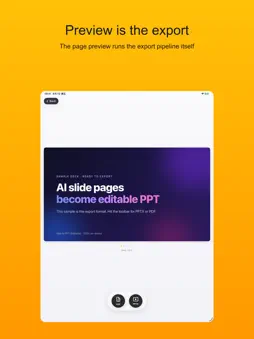
Turn AI-generated slides into REAL editable PowerPoint. Claude, Gemini and other AI tools are great at writing beautiful HTML slides — but getting them into PowerPoint usually means flattened screenshots you can't edit. Web to PPT fixes that: paste the HTML, and get a native .pptx with real text boxes, shapes and gradients you can freely edit in PowerPoint or Keynote. WHAT MAKES IT DIFFERENT - True editability: every element is converted into a native PowerPoint object — text, shapes, gradients, rounded corners and shadows stay editable. No "dead image" slides. - The preview IS the export: page-by-page preview runs the very same export pipeline, so what you see is what you get. - Vector PDF export: crisp 16:9 slide PDFs with selectable, searchable text. - React & Canvas support: state-based React decks are detected and exported slide by slide; HTML5 Canvas graphics render correctly. - 100% on-device: all processing runs locally. Your content is never uploaded. Works offline. - One-time purchase: no subscription, no upload limits, no watermarks. HOW IT WORKS 1. Paste HTML, drop a file into the window, or import a URL. 2. Flip through the page-by-page preview to check every slide. 3. Export as editable PPTX or vector PDF. Share a page or an HTML file from Safari, Files or any app straight into Web to PPT, then export from your iPhone. ORDINARY WEB PAGES Pages that aren't slide decks (articles, blog posts) are split into slides automatically. Treat this as a quick way to extract a page into slides, not a perfect layout — AI-generated slide HTML gives the best results. BUILT FOR - Anyone who makes slides with AI chatbots and needs a file colleagues can edit - Designers turning web designs into presentations - Developers presenting React/HTML decks - Educators and analysts turning dashboards into decks Private. Fast. Native. Stop screenshotting your slides — export them properly.
What's New
Version 1.7 2026-09-17
• HTML tables now export as native PowerPoint tables. Rows, columns and merged cells stay editable instead of becoming loose boxes. • Table header colors, cell ... Technical Analysis
Package Overview Basic metadata
Bundle ID
com.daniel.CanvasToPDF-iOS Current Version 1.7
Minimum iOS 15.0
Package Size App Store Size
Package Metadata 1 / 2 version records
Detailed binary, privacy manifest, framework, and Info.plist results have not been indexed for this package yet. The verified App Store and archive metadata above remains available.
Developer Information
Known Version Records
1 version record with stored package metadata • 2 known version records
Stored metadata does not guarantee a package is currently available to download.
| Details | Version / IDs | Version date | Action |
|---|---|---|---|
| 5.22 MB | v1.7 App Store ID: 888516949Build: 1.7 | 2026-09-18 00:12:07 | Paid / Arcade |
| Not archived | App Store ID: 881835960 | Unknown | Paid / Arcade |