Preview




Description
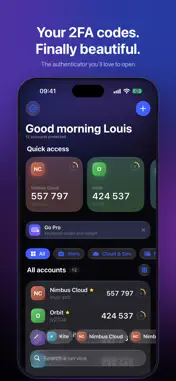
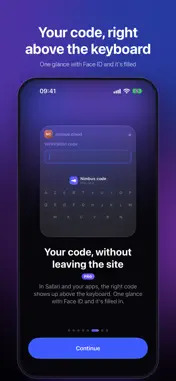
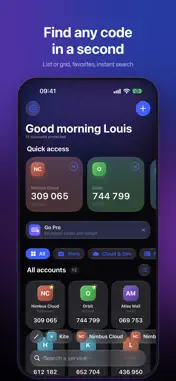
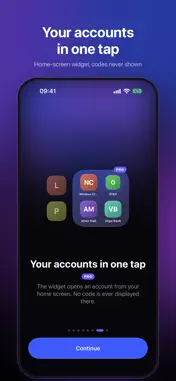
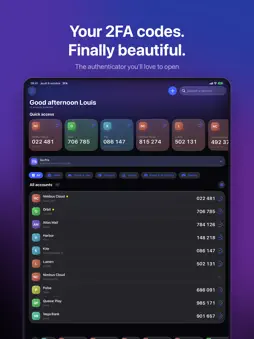
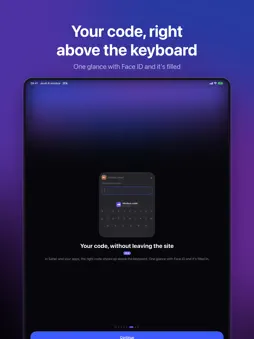
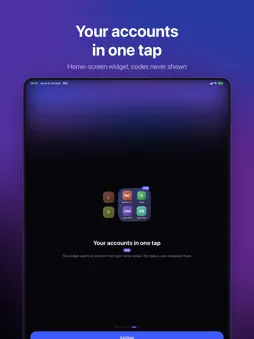
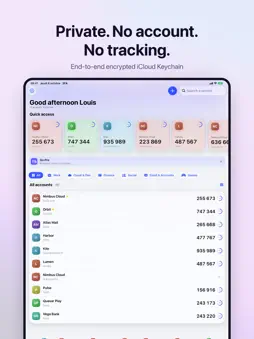
The authenticator you'll actually love to open. 2FA keeps your two-factor authentication codes beautifully organised, private and one tap away — with a native Liquid Glass design made for iOS 26. CODES RIGHT ABOVE YOUR KEYBOARD — PRO Signing in to a website? 2FA recognises it and suggests the matching code above your keyboard, in Safari and in apps. One glance with Face ID and it's filled in. No app switching, no copy-paste. HOME-SCREEN WIDGET — PRO Open any account straight from your home screen. Codes are never displayed on the widget. FIND ANY CODE IN A SECOND • Quick access to your favourite and most-used codes • A Liquid Glass dock with the codes you copy most: tap to copy, rename each pill ("Work", "Personal") to tell accounts apart • List or grid view, real service logos, instant search • Automatic categories powered by Apple Intelligence, on device • Several accounts on the same service are neatly grouped MOVE IN, IN SECONDS Bring your accounts over from your previous authenticator app using its export QR codes or backup file, otpauth links or screenshots. Scan any QR code or type a setup key. PRIVATE BY DESIGN • No account, no server, no analytics, no ads • Secrets stored in the iOS keychain, synced end-to-end encrypted with iCloud Keychain • Reinstall or change iPhone: your accounts and preferences come back • Face ID lock, hidden codes, auto-clearing clipboard • Export anytime as standard otpauth links MADE TO YOUR TASTE Light or dark mode, 8 accent colours or your very own. Works with every service offering an authenticator app: TOTP and HOTP, SHA-1/256/512, 6 to 8 digits. 2FA PRO Unlock keyboard codes and the widget with a yearly subscription or a one-time lifetime purchase. Payment is charged to your Apple Account. The subscription renews automatically unless cancelled at least 24 hours before the end of the current period; manage it in your Apple Account settings. Terms of Use (EULA): https://www.apple.com/legal/internet-services/itunes/dev/stdeula/
What's New
Version 1.2 2026-10-14
• Safari extension (Pro): a “Fill” bubble appears under the code field, even on websites that don't offer the code automatically. • Face ID is only asked again ... Technical Analysis
Package Overview Basic metadata
Bundle ID
com.louisv2304.twoauth Current Version 1.2
Minimum iOS 26.0
Package Size App Store Size
Package Metadata 0 / 0 version records
Detailed binary, privacy manifest, framework, and Info.plist results have not been indexed for this package yet. The verified App Store and archive metadata above remains available.
Developer Information
Known Version Records
0 version records with stored package metadata
Stored metadata does not guarantee a package is currently available to download.
| Details | Version / IDs | Version date | Action |
|---|