
Preview
Description
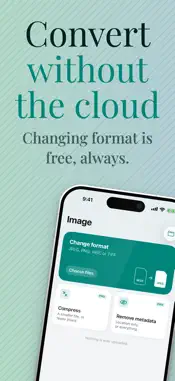
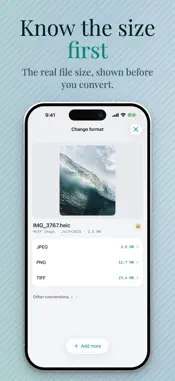
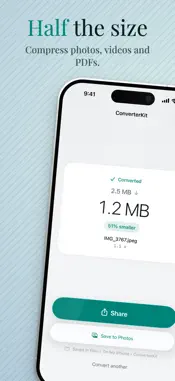
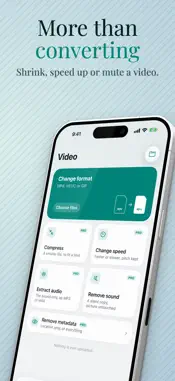
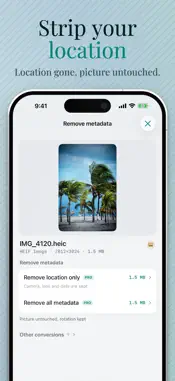
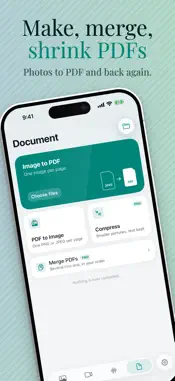
Convert photos, video, audio and PDFs on your iPhone. Nothing is uploaded — every conversion runs on the device, so a 4K video never leaves your hands and nothing waits on a server. CHANGING FORMAT IS FREE • Photos — HEIC, JPEG, PNG, TIFF. WebP and Apple ProRAW open too. • Video — MP4 (H.264) for anywhere, HEVC for half the size, or GIF. • Audio — MP3, M4A, WAV. • PDF — images to a PDF, or a PDF back to images. One file at a time, with no limit on how many you convert, no watermark, no ads and no account. Converting several at once is part of Pro. PRO ADDS THE TOOLS • Compress to a size — hit 25 MB for mail, or 10 MB for chat. Photos land at or under the number you pick. • Resize — half or a quarter of the pixels. • Change speed — 0.5× to 2×, with the pitch kept. • Extract audio — a video's soundtrack as MP3 or M4A. • Remove sound — a silent copy of a video, the picture untouched. • Merge PDFs — several into one, in the order you choose. • Compress a PDF — smaller pictures inside, the text still selectable. • Remove metadata from photos and video — location only, or everything. The picture is copied, not re-encoded, so nothing is lost. • Convert several files in one go. One payment. Not monthly, not yearly. BEFORE YOU CONVERT, NOT AFTER Most conversions show what the file will weigh before you tap — measured, not guessed, for photos and audio. Where a size cannot honestly be known before encoding, as with GIF, no number is shown rather than a wrong one. Most converters tell you afterwards. FROM THE SHARE SHEET Convert straight from Photos or Files without opening the app. ConverterKit appears under More the first time; tap More › Edit to pin it. Requires iOS 26. iPhone only.
What's New
Version 1.1 2026-10-13
A new look: calmer and clearer, with your file shown large before you convert. New in Pro: • Remove sound from a video, picture untouched • Merge PDFs into one...A new look: calmer and clearer, with your file shown large before you convert. New in Pro: • Remove sound from a video, picture untouched • Merge PDFs into one • Compress a PDF, with its text still selectable Now also in German, French, Spanish, Italian, Dutch, Danish, Swedish and Norwegian. Technical Analysis
Package Overview Basic metadata
Bundle ID
com.chenlong.converter Current Version 1.1
Minimum iOS 26.0
Package Size App Store Size
Package Metadata 0 / 0 version records
Detailed binary, privacy manifest, framework, and Info.plist results have not been indexed for this package yet. The verified App Store and archive metadata above remains available.
Known Version Records
0 version records with stored package metadata
Stored metadata does not guarantee a package is currently available to download.
| Details | Version / IDs | Version date | Action |
|---|