
Preview




Description
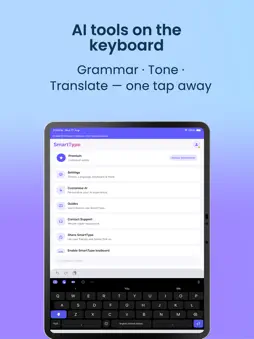
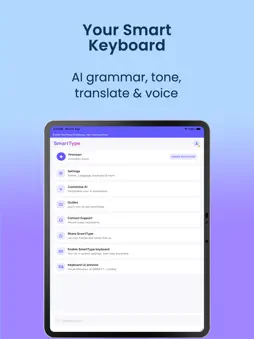
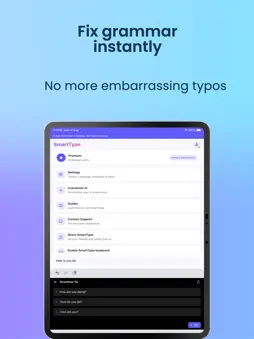
SmartType — the AI keyboard that helps you write better, faster, and in your voice. Tired of re-reading messages before you send them? SmartType is a custom iPhone keyboard with built-in AI tools, voice typing, and a clean dark design — so you can fix mistakes, change tone, translate, and dictate without leaving the app you’re in. WRITE WITH CONFIDENCE • Grammar fix — polish sentences in one tap • Word tone — sound professional, friendly, concise, or creative • Translate — turn your text into another language instantly • Smart suggestions — helpful word predictions as you type VOICE TYPING BUILT IN Tap the mic and speak naturally. SmartType converts your speech to text in real time — great for messages, notes, emails, and long replies. DESIGNED FOR EVERYDAY USE • Sleek dark keyboard that’s easy on the eyes • Emoji, clipboard history, themes, and one-handed mode • Customise AI to match how you write • Works in Messages, WhatsApp, Mail, Notes, social apps, and more FREE TO START · PREMIUM FOR POWER USERS Use AI features with a free word allowance. Upgrade to Premium for unlimited AI grammar, tone, translate, and voice typing. PRIVACY YOU CAN TRUST Your text is only sent when you tap an AI action (grammar, tone, or translate). No ads. No third-party analytics trackers. See our privacy policy in the app. GET STARTED IN 30 SECONDS Open SmartType Go to Settings → General → Keyboard → Keyboards Add SmartType and enable Allow Full Access (required for AI, voice, and clipboard features) Perfect for: students, professionals, creators, multilingual users, and anyone who wants cleaner, clearer writing on iPhone. Questions or support? Contact us from the app — we’re happy to help. Terms of Use (EULA): https://www.apple.com/legal/internet-services/itunes/dev/stdeula/
What's New
Version 1.0.3 2026-11-04
Key press are now working faster and more improved. Technical Analysis
Package Overview Basic metadata
Bundle ID
com.smarttypekeyboard.app Current Version 1.0.3
Minimum iOS 16.0
Package Size App Store Size
Package Metadata 0 / 0 version records
Detailed binary, privacy manifest, framework, and Info.plist results have not been indexed for this package yet. The verified App Store and archive metadata above remains available.
Developer Information
Known Version Records
0 version records with stored package metadata
Stored metadata does not guarantee a package is currently available to download.
| Details | Version / IDs | Version date | Action |
|---|