Preview
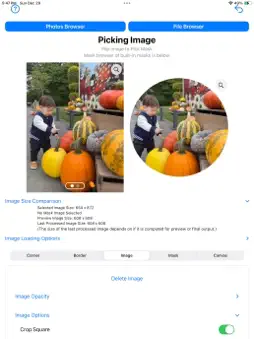
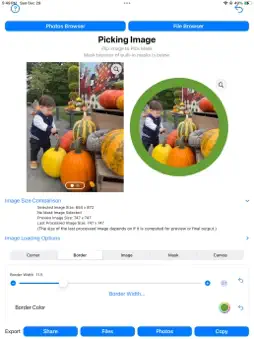

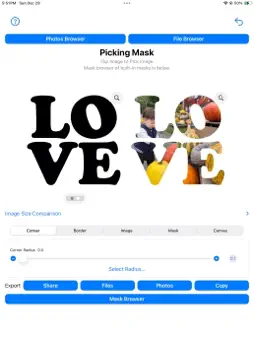
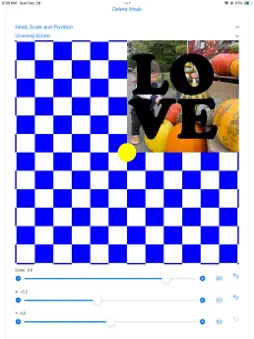
Description
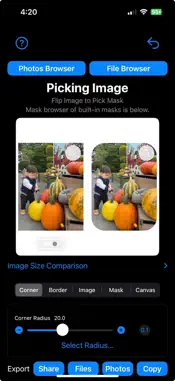
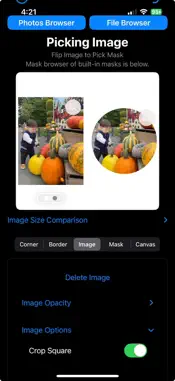
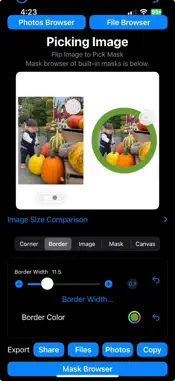
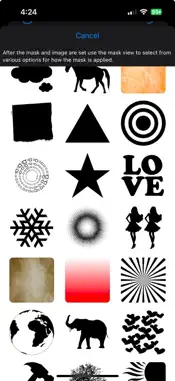
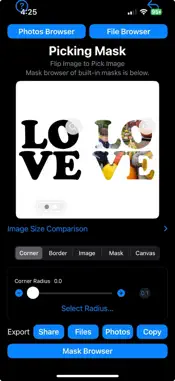
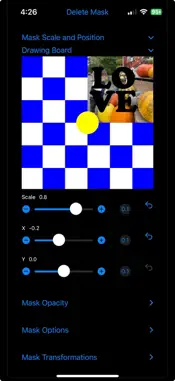
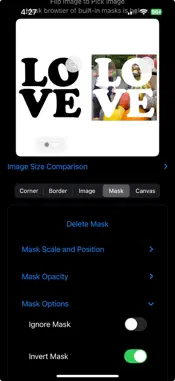
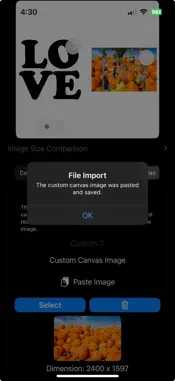
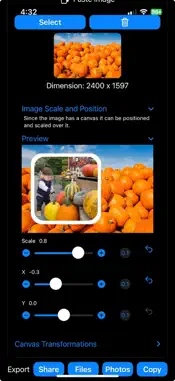
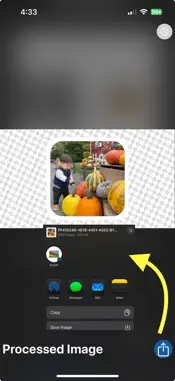
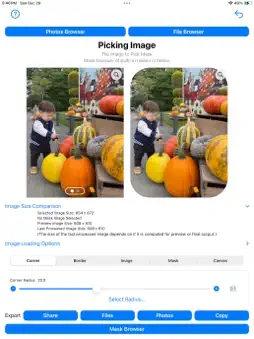
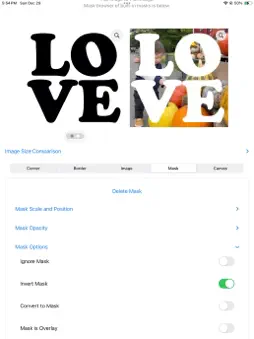
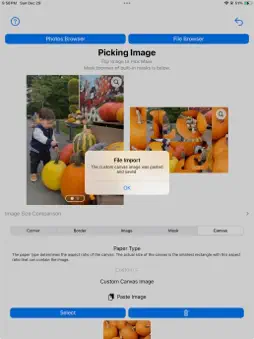
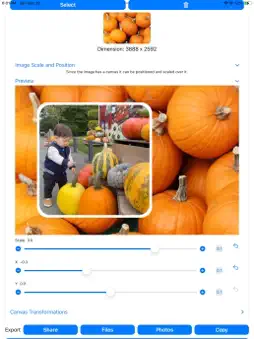
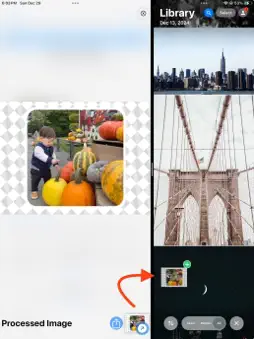
This app applies rounded corners, masks, overlays, filters and borders to pictures. • Put rounded corners on images with radius from 0 to half the length of smallest side of the image • Border images with thickness from 0 to half the length of smallest side of the image • Image options to crop square, crop to the same aspect ratio of any mask image selected • Change opacity of an image to any value between 0 and 1 • Transform the image by flipping vertical or horizontal, rotate in increments of 90º • Apply a mask as an overlay to an image, with opacity from 0 to 1 and scaling • Move the overlay precisely across the image using sliders • Masks can be inverted, changing transparent pixels to opaque and opaque pixels to transparent • Convert color images, specifically black and white images, to images with transparency based on their intensity • Masks can be applied in two different modes - using transparency to cutout or blend pixels • Like images, masks can be transformed by flipping vertical or horizontal, and rotated in increments of 90º • Apply a filter to the image, mask and canvas separately. You can adjust the corner radius from 0, no rounding, to half the width of the smallest side of the image, enabling you to create anything from subtly rounded edges to perfect circles. Add borders with color. The app features masking and overlay capabilities. For example by applying a mask with a transparent region in the shape of a star, the app can use the transparent parts of the mask to crop your image to a star-shape, leaving the rest of the image transparent or filled with a solid background color. Using the transparency of this star shape, it can then be drawn over another image like a stamp. For convenience, the app includes a collection of built-in masks to help get started quickly. The canvas is an optional drawing area with a specified aspect ratio. The canvas acts as a backdrop for the image, much like a mask overlays the image. Key functionalities include: • Image Positioning and Scaling: When a canvas is specified, the image can be scaled and positioned relative to the canvas, and any applied mask follows these transformations. • Canvas Specification Options: You can choose the canvas aspect ratio from common paper types or define custom dimensions. Available options include: - US Letter (11:8.5) — Ratio: 1.294 - US Legal (14:8.5) — Ratio: 1.647 - Executive (10.5:7.25) — Ratio: 1.448 - Tabloid (17:11) — Ratio: 1.545 - B5 (250:176) — Ratio: 1.420 - A4 (297:210) — Ratio: 1.414 - HD (16:9) — Ratio: 1.778 - Cinematic (21:9) — Ratio: 2.333 - SD (4:3) — Ratio: 1.333 - Golden Ratio (1.618:1) — Ratio: 1.618 - Square (1:1) — Ratio: 1.000 - Custom — User-defined ratio - None — No canvas applied The actual canvas size is the smallest rectangle with the selected aspect ratio that fully contains the current image, centered within it. • Custom Canvas Image: If a custom image is used as the canvas: - The image is displayed inside the canvas. - Transparent images can set the canvas size without visual distractions. • Canvas Background Options: - Solid color (user-selectable). - Predefined background images (via browser). - Procedural textures (generated randomly). • Canvas Transforms: Apply the following transformations to the canvas: - Flip: Horizontal or vertical. - Rotation: 90º, 180º, or 270º.
What's New
Version 1.0.8 2025-01-09
• Added an option to change the order of applying the corners & borders and the mask. The options is called 'Apply Border & Corners First` and appears in the C... Technical Analysis
Package Overview Basic metadata
Bundle ID
com.limit-point.RoundedPic Current Version 1.0.8
Minimum iOS 16.6
Package Size App Store Size
Package Metadata 0 / 6 version records
0.0 / 5.0 (0 ratings)
Detailed binary, privacy manifest, framework, and Info.plist results have not been indexed for this package yet. The verified App Store and archive metadata above remains available.
Developer Information
Known Version Records
0 version records with stored package metadata • 6 known version records
Stored metadata does not guarantee a package is currently available to download.
| Details | Version / IDs | Version date | Action |
|---|---|---|---|
| Not archived | App Store ID: 871626363 | Unknown | Request Version |
| Not archived | App Store ID: 871504529 | Unknown | Request Version |
| Not archived | App Store ID: 871440703 | Unknown | Request Version |
| Not archived | App Store ID: 871373931 | Unknown | Request Version |
| Not archived | App Store ID: 871248419 | Unknown | Request Version |
| Not archived | App Store ID: 870901448 | Unknown | Request Version |