
Preview






Description
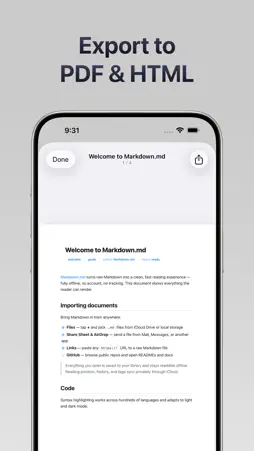
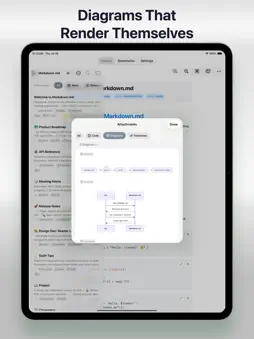
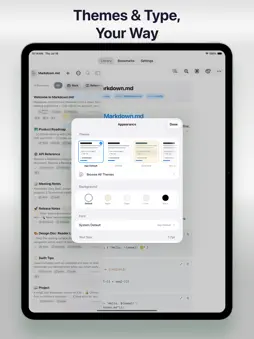
Markdown.md is a beautiful, blazing-fast Markdown reader, editor, and library — built to work 100% offline, with no account and no tracking. Whether you live in READMEs, technical docs, meeting notes, or your own writing, every document renders cleanly and opens instantly. BEAUTIFUL RENDERING Headings, bold, italics, tables, task lists, blockquotes, and nested lists all render with care. Fenced code blocks get real syntax highlighting for dozens of languages. Mermaid diagrams — flowcharts, sequence, Gantt, class, and state — and Excalidraw sketches render inline. SVG graphics, LaTeX math, footnotes, images, and embedded video links are supported too, along with YAML frontmatter. MAKE READING YOURS Choose a reading font and a separate code font from the system faces plus 100+ bundled typefaces, with a searchable picker and favorites. Fine-tune text size, line spacing, and content width (Narrow, Normal, Wide). Pick from 14+ built-in themes — GitHub, Solarized, One Dark, Dracula, Nord, Catppuccin, Tokyo Night, Gruvbox, Rosé Pine, Ayu, Everforest, Night Owl, Kanagawa, Monokai — each in light and dark, or craft your own with a color picker. Set backgrounds like Paper or Sepia, and override the theme per document. Move through long files with a searchable outline and a scrubber, find text with a live match counter, flip to raw source, and pick up right where you left off. A REAL EDITOR, BUILT IN Write and edit with a syntax-highlighted editor and a full formatting toolbar: headings, bold, italic, strikethrough, inline code, bullet/numbered/task lists, blockquotes, indent and outdent, plus one-tap insert for links, images, tables, and code blocks. Undo and redo, autosave, live preview, and word, character, line, and reading-time stats. ORGANIZE YOUR LIBRARY Keep everything tidy with folders, tags, and full-text search. Sort by name, created, or last opened, filter by folder or tag, and switch between list and grid. Rename, duplicate, move, and delete with ease. IMPORT FROM ANYWHERE Open files from the Files app, the Share Sheet, and AirDrop, paste a link to any Markdown file, or browse public GitHub repositories by owner/repo or URL — then read them offline. EXPORT & SHARE Turn any document into a polished PDF, HTML, Markdown, or plain-text file, each with a preview before you share. Back up and restore your entire library too. EVERYTHING IN ONE PLACE The attachments panel automatically gathers every link, image, code block, diagram, video, and footnote into one searchable view — copy links, view code, or save images to Photos or Files. HIGHLIGHTS & BOOKMARKS Highlight passages in five colors, add notes, and jump straight back to them anytime. PRIVATE BY DESIGN Rendering happens on-device with all assets bundled — no CDN, no account, no tracking. Turn on iCloud to sync documents, folders, tags, bookmarks, and appearance across devices, or keep everything local. Lock the app with Face ID or Touch ID. BUILT FOR iPHONE, iPAD & MAC Enjoy a sidebar and split view on iPad, and run it on your Mac. Free to use with up to 10 documents and 20 bookmarks. Unlock unlimited documents, bookmarks, and usage with Pro. https://www.apple.com/legal/internet-services/itunes/dev/stdeula/
Technical Analysis
Package Overview Basic metadata
Bundle ID
com.lifeutilityapps.MarkdownReader Current Version 1.0
Minimum iOS 26.2
Package Size App Store Size
Package Metadata 0 / 1 version records
Detailed binary, privacy manifest, framework, and Info.plist results have not been indexed for this package yet. The verified App Store and archive metadata above remains available.
Developer Information
Known Version Records
0 version records with stored package metadata • 1 known version records
Stored metadata does not guarantee a package is currently available to download.
| Details | Version / IDs | Version date | Action |
|---|---|---|---|
| Not archived | App Store ID: 888351324 | Unknown | Request Version |