
Preview


Description
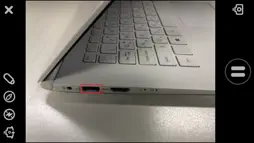
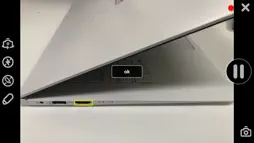
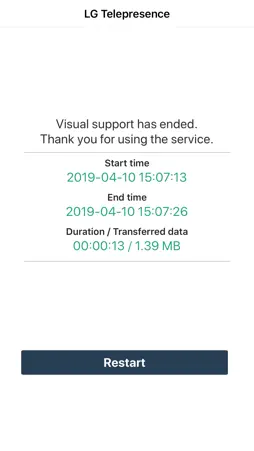
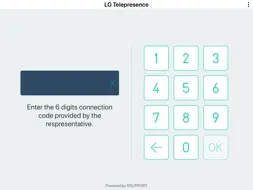
Telepresence - VisualSupport RemoteCall allows support representatives and their customers to collaboratively support iOS devices (iPhones & iPads). Below are the necessary steps to use VisualSupport - RemoteCall. Test Instruction: [ PC Side ] 1. RemoteCall Install (Windows 10 PC Application) A. Open a web browser and move to: https://telepresence.lge.com:8080/viewer/download 2. Download the RemoteCall Installer. 3. Run the RemoteCall Installer. 4. Once installed, run RemoteCall. A. After that, run the program B. Please refer manual(page4 ~ 5) C. Manual: https://telepresence.lge.com/update/telepresence_Manual.pdf 5. Enter the user ID and password, then click ‘Login’. A. ID: appletest01 B. PW: 222222 6. Click 'Start' 7. Standby to Connect. [ Mobile Side ] 1. Launch the App A. Tap the ‘LG Telepresence’ icon to launch the application 2. Enter the 6-Digit Connection Code A. Enter the 6-Digit Connection Code(PC Connection Code) into the mobile app, then tap ‘OK’ 3. Tap ‘Agree’ to continue. A. Please refer manual(page7 ~ 8) B. Manual: https://telepresence.lge.com/update/telepresence_Manual.pdf For more information regarding the installation process or how to use LG telepresence - RemoteCall, please refer to the documents listed below. 1. RemoteCall Installer (PC Application) A. URL: https://telepresence.lge.com:8080/viewer/download 2. User Manual (For Testing Purposes) A. Manual: https://telepresence.lge.com/update/telepresence_Manual.pdf 3. Demo Video A. https://drive.google.com/file/d/1wncEfxihCXTRWUNGs-aw7dq2SN6Jor9B/view?usp=sharing 4. DemoAccount(PC app ID/PW) A. ID : appletest01 B. PW : 222222
What's New
Version 6.0.15007 2022-03-30
- Other minor bug fixes Technical Analysis
Package Overview Basic metadata
Bundle ID
com.lge.telepresence Current Version 6.0.15007
Minimum iOS 12.0
Package Size App Store Size
Package Metadata 1 / 3 version records
5.0 / 5.0 (1 ratings)
Detailed binary, privacy manifest, framework, and Info.plist results have not been indexed for this package yet. The verified App Store and archive metadata above remains available.
Developer Information
Known Version Records
1 version record with stored package metadata • 3 known version records
Stored metadata does not guarantee a package is currently available to download.
| Details | Version / IDs | Version date | Action |
|---|---|---|---|
| 21.67 MB | v6.0.15007 App Store ID: 847648111Build: 6.0.15007 | 2022-03-30 07:18:55 | Get Version |
| Not archived | v6.0.15006 App Store ID: 831151462Build: 6.0.15006 | 2019-05-24 04:28:39 | Request Version |
| Not archived | v6.0.15003 App Store ID: 830813959Build: 6.0.15003 | 2019-04-20 23:19:42 | Request Version |