Preview







Description
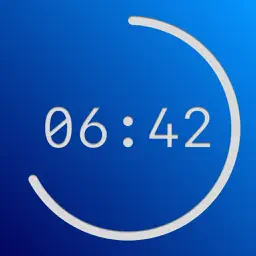
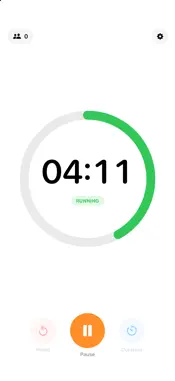
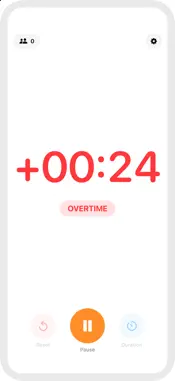
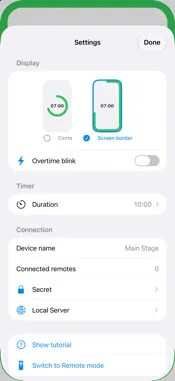
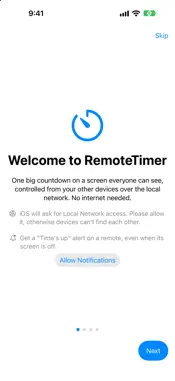
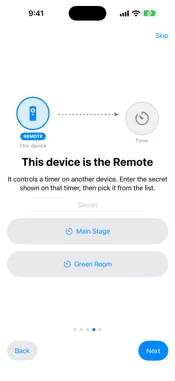
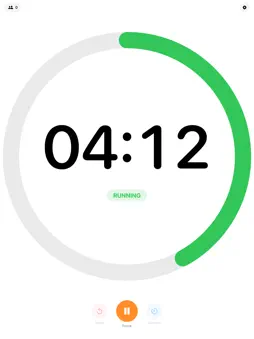
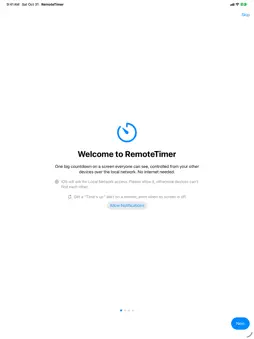
One big countdown everyone can see. One remote in your pocket. Remote Timer turns an iPhone or iPad into a large, glanceable countdown and lets you run it from a second device. No internet, no account, no fiddly setup. Perfect for talks, workshops, classrooms, rehearsals, exams, training sessions and any room that needs to keep to time. TWO ROLES, ONE APP • Timer: shows the big countdown. Put it where the speaker or the audience can see it. Pick a clean progress circle, or on iPhone a progress line that runs around the edge of the screen. • Remote: start, pause and reset the timer and change its duration from another device. See the live time and the timer device's battery level at a glance. BUILT FOR REAL ROOMS • Counts down, then keeps counting up in red so you always know how far over you are. Optional blinking and a haptic tap tell you the moment time is up. • Any duration up to 99 minutes, with quick presets from 1 to 30 minutes. • Controls fade away while the timer runs, so the audience only sees the time. • Devices find each other automatically on the local network. No internet connection needed. • Secret code: only remotes that know your code can connect. NEW IN 2.0 • Live Activity: keep the countdown on your Lock Screen and in the Dynamic Island, with the set duration, the time since the last sync and a clear "Time's up" state. • "Time's up" notification on your remote when the timer runs out. It is corrected or cancelled automatically when the timer is paused, reset or changed. • Redesigned Timer screen and a redesigned clock-style Remote screen with a REMOTE badge, so you always know which role a device plays. • A welcome tutorial that walks you through choosing a role and pairing two devices. FOR TINKERERS Open the timer in any browser on the same network, or read it from your own scripts through a simple local HTTP endpoint. Start/stop and reset endpoints are protected by your secret code. PRIVATE BY DESIGN No account, no ads, no tracking. Remote Timer collects no data, and everything stays between your own devices. GOOD TO KNOW • Allow Local Network access when asked, otherwise your devices cannot find each other. • The Live Activity and the notification on the remote reflect the last state it received from the timer. They refresh whenever the Remote Timer app is open on the remote. • Requires iPhone or iPad with iOS 17 or later.
What's New
Version 2.0 2026-10-31
Remote Timer 2.0: a big update for both sides of the timer. NEW • Live Activity: keep the countdown on your remote's Lock Screen and in the Dynamic Island, wit... Technical Analysis
Package Overview Basic metadata
Bundle ID
com.lf.RemoteTimer Current Version 2.0
Minimum iOS 17.0
Package Size App Store Size
Package Metadata 0 / 0 version records
Detailed binary, privacy manifest, framework, and Info.plist results have not been indexed for this package yet. The verified App Store and archive metadata above remains available.
Developer Information
Known Version Records
0 version records with stored package metadata
Stored metadata does not guarantee a package is currently available to download.
| Details | Version / IDs | Version date | Action |
|---|