
Preview






Description
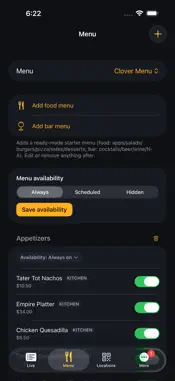
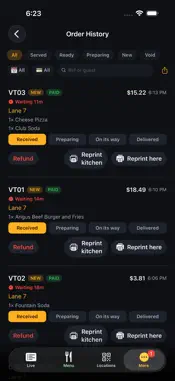
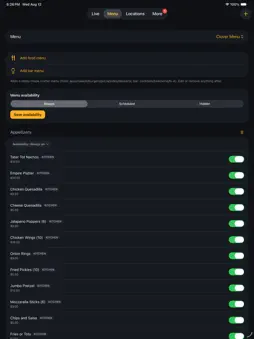
LaneTab Venue is the staff app for LaneTab, the QR-code ordering system built for bowling alleys and family entertainment centers. Guests scan the code at their lane or table, order, and pay from their own phone. This app is what your counter runs: orders arrive the moment they are paid for, tickets print to the kitchen and the bar, and the night closes out with the numbers already added up. WHAT THE NIGHT MADE - Financials and Insights for any period the web console offers, including a custom range for a single day or a group of days - Gross sales, refunds, tax, tips and total collected, read straight from the ledger - A transaction register you can open one order at a time - Shifts and pooled tips, per person WHO CAN SIGN IN - A PIN for each person, by name, so the order history says who did it rather than "staff" - Choose exactly what each person sees - Kitchen, Bar, Front desk, or more than one at once - without handing over full access - Revoke a sign-in on its own: they stay on the roster, keep their place in tip payouts, and can still be assigned restroom checks - Add someone, fix a name, and hand out or take back access from the floor, without opening a laptop A SCREEN FOR EACH JOB - Give every screen its own PIN: Kitchen, Bar, Front desk, each showing only the work it is for - A station screen is a bump bar - the tickets, full screen, nothing to navigate - The takings, settings and menu editor are not on a station screen at all - A front desk screen runs guest help, the waitlist and restroom checks on one screen, switched with a tap - A bar screen can show only the drinks that need an ID check - Name your own stations, so a snack bar does not have to be called kitchen or bar THE FRONT DESK - A waitlist that texts guests: quote a wait, tell them their lane is ready, and seat them - Every party shows when they arrived, when they were texted and when they were seated, so two parties with the same name are never confused - Seat or no-show by mistake and put them back with one tap, without retyping them or costing them their place - Guest help and the waitlist sit side by side, and a new request pulls the screen back to it - Restroom checks on the same screen, so the round that is due is where the host already is RUN THE FLOOR - Live board of every open order, oldest first, with one tap to move it from received to preparing to on its way - Overdue orders escalate on screen so nothing sits forgotten at the end of a busy rush - Push alerts the moment an order or a guest request lands, even when the app is in the background - Guest assistance requests and staff replies, so a lane can ask for help without walking to the counter PRINT AND ROUTE - Star Bluetooth receipt printing at the counter, with reprint and test print - Separate kitchen and bar station printers over the network, so each station gets only its own items - Auto-print new orders as they arrive TAKE MONEY - Ring up a counter sale: cash, card, Tap to Pay on iPhone, or comp - Bar tabs with running totals, card holds, settle and void - Refunds, partial refunds and comps, all recorded KNOW WHERE YOU STAND - Financials: today's takings, every transaction to the second, taxes, and the tip pool - Shifts and pooled tip payouts per member of staff - Insights: sales per spot-hour, reorder rate, response times, and which lanes generate the most requests - Inventory: stock on hand, restock and reorder reports, recipes and suppliers KEEP THE PLACE RUNNING - Sanitation: restroom checks logged with what was due, what was done, who cleared it and when. The record a health inspector asks for. - Displays: your wall screens, their signal and uptime, and whether they are still responding - Lane maintenance trends, so recurring mechanical faults on one lane surface before they cost you the lane LaneTab Venue requires a LaneTab venue account. Venue accounts are created by LaneTab, so there is no sign-up in the app.
What's New
Version 1.6.7 2026-10-30
Reservations, for venues that take bookings with LaneTab: - Launch: turn online booking on, set it up, preview your page as a guest, go live now or on a schedul...Reservations, for venues that take bookings with LaneTab: - Launch: turn online booking on, set it up, preview your page as a guest, go live now or on a schedule, and pause or resume. Managers make the changes; everyone else can see where launch stands. - Private test links let people try your real booking page with test cards before you go live. Test bookings are marked TEST and cleared when you go live. A link you have turned off can be removed. - Share your booking link, or save and share its QR code as an image. - Today's bookings, arrivals and check-in in one place, including QR check-in. - A booking panel with notes, lanes, add-ons, party food, waivers (who has signed), payments and refunds, and printing. - Move lanes with each lane's current state shown. - Friends & family bookings with no charge, for managers. - The time list shows how many lanes are left at each start. - Send a party's food order from Arriving soon. Lanes ready texts the guest, and tells you why if no text could be sent. - View as guest from Menu and Branding. Plus fixes and polish throughout. Technical Analysis
Package Overview Basic metadata
Bundle ID
app.lanetab.venue Current Version 1.6.7
Minimum iOS 17.0
Package Size App Store Size
Package Metadata 0 / 0 version records
Detailed binary, privacy manifest, framework, and Info.plist results have not been indexed for this package yet. The verified App Store and archive metadata above remains available.
Developer Information
Known Version Records
0 version records with stored package metadata
Stored metadata does not guarantee a package is currently available to download.
| Details | Version / IDs | Version date | Action |
|---|