
Preview







Description
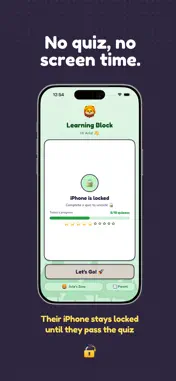
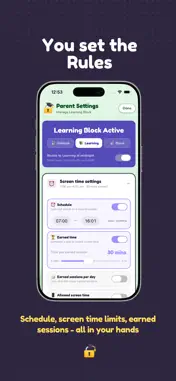
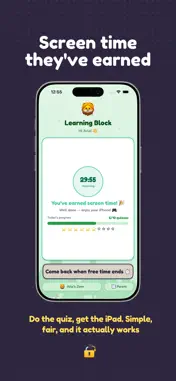
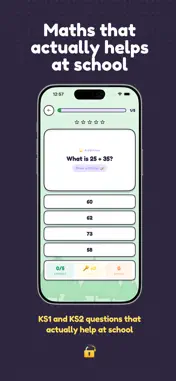
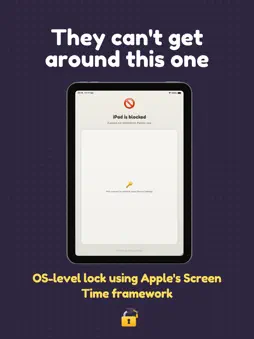
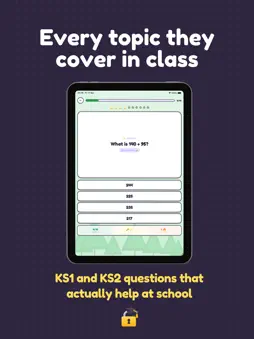
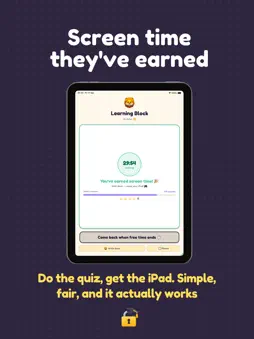
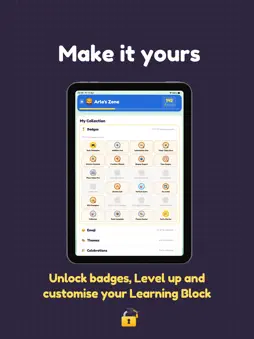
Learning Block locks your child's iPad until they complete a curriculum-aligned maths quiz. No quiz, no screen time. No way around it. Unlike a simple timer, Learning Block sets a condition. Your child doesn't just run out of time, they earn it back by actually learning. Complete the quiz, unlock the iPad. Works beautifully alongside Apple's built-in Screen Time controls. HOW IT WORKS Set your child's year group, pick topics, choose how many questions, and set a pass mark. When the iPad locks, your child sees the Learning Block screen. Pass the quiz, earn the screen time. Simple deal that actually works. EARNED SCREEN TIME Choose how much screen time each passed quiz unlocks — from 5 minutes to an hour. When the time's up, the iPad locks again. Your child knows exactly what to do to earn more. CURRICULUM-ALIGNED MATHS FOR AGES 5–11 Every question is generated from the UK National Curriculum with infinite variety — no two sets of questions are the same. Year 1–2: Addition, Subtraction, Multiplication, Division, Fractions, Shapes, Time, Place Value Year 3–4: Addition, Subtraction, Multiplication, Division, Fractions, Decimals, Shapes, Time, Place Value Year 5–6: Addition, Subtraction, Multiplication, Division, Fractions, Percentages, Decimals, Area & Perimeter, Angles PRACTICE MODE In Unblock mode, your child can do as many quizzes as they want — earning keys to spend on themes, badges, and rewards. Maths becomes something they choose to do, not just something they have to. LEARN SECTION Animated walkthroughs teach each topic before your child attempts it in a quiz — explained visually, at their own pace. SHOW WORKINGS A built-in panel lets children work through problems properly. Column arithmetic with full carry and borrow support, plus a drawing pad with handwriting recognition. ADAPTIVE DIFFICULTY Questions automatically adjust across Easy, Medium, and Hard based on your child's accuracy. Parents can view and override difficulty per topic. SCHEDULE AND LIMITS Set a bedtime, wake time, and daily screen time cap. The iPad manages itself around your family's routine. PARENT DASHBOARD PIN-protected settings give full control over every option. Per-topic accuracy charts show exactly where your child excels and where they need more practice. REWARDS AND PROGRESSION Correct answers earn keys, unlocking eight levels from Starter to Maths Wizard. Spend keys on avatars, themes, and celebrations. BADGES AND ACHIEVEMENTS 80 milestones across 20 tiered badges — topic mastery, streaks, perfect scores, and year group champions. FREE TO TRY Download free and try Addition quizzes with no time limit. Subscribe to unlock all topics, year groups, the Learn section, earned sessions, and the full rewards system. No ads, ever. Terms of use: https://www.apple.com/legal/internet-services/itunes/dev/stdeula/
What's New
Version 1.08 2026-10-05
Save your earned time - Thanks to your feedback, earned screen time can now pause when the iPad isn't being used. Your child can stop part-way and come back lat... Technical Analysis
Package Overview Basic metadata
Bundle ID
com.learningblock.LearningBlock2 Current Version 1.08
Minimum iOS 17.4
Package Size App Store Size
Package Metadata 0 / 8 version records
Detailed binary, privacy manifest, framework, and Info.plist results have not been indexed for this package yet. The verified App Store and archive metadata above remains available.
Developer Information
Known Version Records
0 version records with stored package metadata • 8 known version records
Stored metadata does not guarantee a package is currently available to download.
| Details | Version / IDs | Version date | Action |
|---|---|---|---|
| Not archived | App Store ID: 886726676 | Unknown | Request Version |
| Not archived | App Store ID: 885752893 | Unknown | Request Version |
| Not archived | App Store ID: 885614752 | Unknown | Request Version |
| Not archived | App Store ID: 885493735 | Unknown | Request Version |
| Not archived | App Store ID: 885422667 | Unknown | Request Version |
| Not archived | App Store ID: 885195393 | Unknown | Request Version |
| Not archived | App Store ID: 885156280 | Unknown | Request Version |
| Not archived | App Store ID: 883796285 | Unknown | Request Version |