
Preview









Description
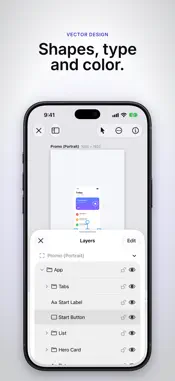
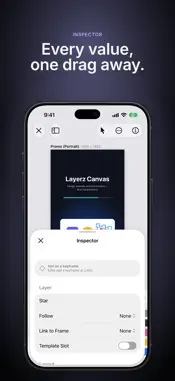
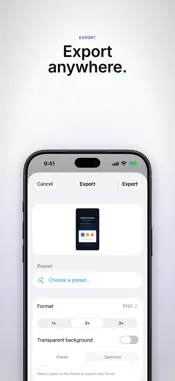
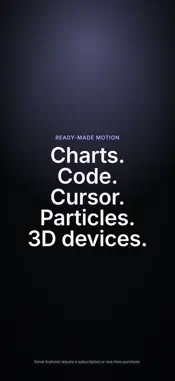
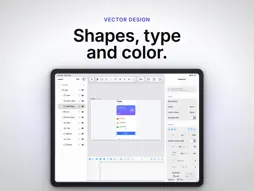
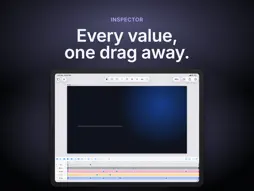
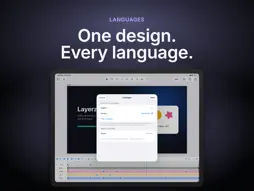
Layerz Canvas turns a design into a promo video without leaving the document — on iPhone and iPad, with the same files as the Mac app. DESIGN Rectangles, ellipses, polygons, pen paths and text. Frames that clip, groups, constraints that follow resizes, masks, boolean shapes, gradients you edit on the canvas, shadows, blur, glow and grain. Text that flows along a path. Repeaters that lay copies out in grids, rings and rows, and a stack of shape modifiers. Drag any number in the inspector sideways to scrub it. ANIMATE Turn on the timeline, move the playhead and change anything — keyframes are recorded for you. Select many keyframes and move, stretch or reverse them together; snap to keys and markers; shape every curve in the graph editor or pick a named easing. Springs, kinetic type with range selectors, entrance presets, loops and wiggle, counters, shape morphs, 2.5D rotation, camera moves with depth and lens blur, scene transitions and beat markers. Make a layer follow a path, link one property to another, add oscillation, drive keyframes from the music, or let physics drop, bounce and pile things up. Pinch the tracks to zoom; drag clips to move, trim, split and slip them. READY-MADE MOTION Charts that grow from pasted data, code that types itself, a virtual cursor that glides and clicks, iPhone, iPad, Mac window and browser window frames for your screenshots and recordings — flat, or as 3D models you can turn and light, or any USDZ model of your own — particles — confetti, sparkles, snow, bubbles and bursts — and distortion effects: RGB split, glitch, wave and noise warp. SOUND Generate a soundtrack and sound effects that follow what moves on screen, right inside the app. MEDIA Bring in photos and videos from your library, and images, video, sound, SVG, Lottie animations and fonts from the Files app — or drop them onto the canvas. Trim, split and loop clips on the timeline; shape volume with fades. RECORD (iOS 27) Record your screen through the system picker, with narration from the microphone, and the recording lands on the canvas as a video layer. LANGUAGES One document, every language. Add the languages your app ships in, type each text layer's words per language and switch what the canvas shows — the same design, keyframes and all. Export every language from one source: stills for all of them in one go, video in the language you pick. PRESENT Play your animation full screen, or present your frames like slides — with links from one frame to another, auto-advance and transitions. EXPORT PNG, JPEG, SVG and PDF for stills, at the playhead or of just the selection. MP4, MOV (HEVC, with alpha), ProRes 4444, GIF, APNG, PNG sequence, Lottie JSON, animated SVG — and HTML, a web page that plays your animation without a video file, with hover and click states. Export every frame at once. MAC AND IPAD Documents live in iCloud Drive, so you can start on the iPad and finish on the Mac. On iPad, a keyboard brings the Mac's shortcuts and menu bar; the Files app shows thumbnails and Quick Look previews of your documents. LAYERZ CANVAS PRO Pro removes the "Made with Layerz Canvas" mark from video exports and unlocks HEVC with alpha, ProRes 4444, Lottie and HTML export. Available as a monthly or yearly subscription or a one-time Lifetime purchase, with Family Sharing — one purchase covers the Mac, iPhone and iPad. Subscriptions renew automatically unless cancelled at least 24 hours before the end of the period. Manage them in your App Store account settings. Terms of Use: https://www.apple.com/legal/internet-services/itunes/dev/stdeula/ Privacy Policy: https://www.layerz.app/canvas/privacy
What's New
Version 1.5.0 2026-10-31
3D devices Put a screen recording on a real 3D iPhone, iPad or Mac (touch and hold a layer > Add Device Frame > iPhone (3D)), or import your own USDZ model (+ >... Technical Analysis
Package Overview Basic metadata
Bundle ID
app.layerz.Layerz-Canvas Current Version 1.5.0
Minimum iOS 26.5
Package Size App Store Size
Package Metadata 0 / 0 version records
Detailed binary, privacy manifest, framework, and Info.plist results have not been indexed for this package yet. The verified App Store and archive metadata above remains available.
Developer Information
Known Version Records
0 version records with stored package metadata
Stored metadata does not guarantee a package is currently available to download.
| Details | Version / IDs | Version date | Action |
|---|