
Preview





Description
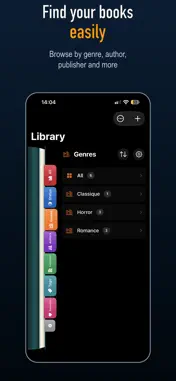
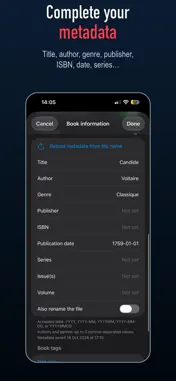
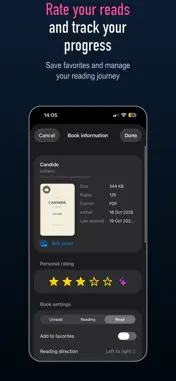
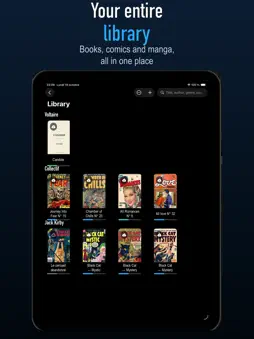
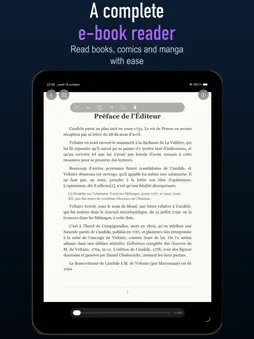
BookReader turns your PDF, CBZ, CBR, and ZIP files into a personal library that is clear, organized, and enjoyable to browse. Import your books, magazines, comics, and graphic novels, then organize them using titles, authors, publishers, genres, series, volumes, issue numbers, publication dates, and tags. A library that reflects you - Import PDF, CBZ, CBR, and ZIP files - Grid or list view - Multiple cover and title sizes - Search by title, author, genre, publisher, ISBN, issue number, or tag - Sort by title, publication date, or personal rating - Group by series, genre, author, publisher, or year - Natural sorting of volumes and issue numbers within the same series - Display issue numbers with titles, for example, “Chamber of Chills No. 23” Editable book information BookReader can retrieve metadata from compatible files and lets you edit or correct it: - Title and author - Genre and publisher - ISBN - Publication date - Series, volume, and issue number - Summary - Custom tags - Editable cover or a cover extracted from any page of the book When an ISBN is provided, BookReader can search publicly available sources to help complete the book’s information. A customizable reading experience - Horizontal or vertical reading - Page-by-page navigation - Left-to-right or right-to-left reading - Two-page layout - Page-turning effect - Navigate by swiping or tapping the sides of the screen - Resume your most recently opened book - Reading progress tracking - Bookmarks and reading history - Keep the file on your device or free up storage after reading Personal ratings and reviews Give each book a rating of up to five stars, add a personal review, and mark your favorites as “Loved.” Ratings can be displayed directly below book covers and used to filter your library. iCloud synchronization Your library, metadata, covers, ratings, and reading progress can be synchronized across your devices using iCloud. Free version and BookReader Pro The free version lets you read up to 20 personal books, in addition to the included sample book. Additional books remain visible in your library, but reading them requires BookReader Pro. BookReader Pro is a one-time in-app purchase that unlocks access to your entire library with no book limit. BookReader does not provide any copyrighted content. Imported files must belong to the user or be used with the necessary authorization. Privacy Policy: https://laurentapps.github.io/book-reader/privacy-fr.html Terms of Use: https://www.apple.com/legal/internet-services/itunes/dev/stdeula/
Technical Analysis
Package Overview Basic metadata
Bundle ID
com.laurent.BookReader Current Version 1.2
Minimum iOS 18.0
Package Size App Store Size
Package Metadata 0 / 0 version records
Detailed binary, privacy manifest, framework, and Info.plist results have not been indexed for this package yet. The verified App Store and archive metadata above remains available.
Developer Information
Known Version Records
0 version records with stored package metadata
Stored metadata does not guarantee a package is currently available to download.
| Details | Version / IDs | Version date | Action |
|---|