
Preview






Description
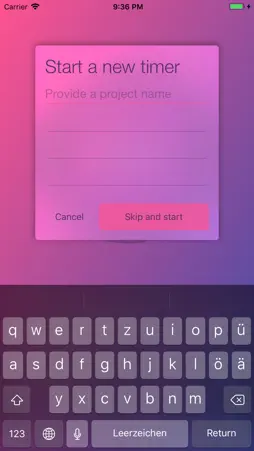
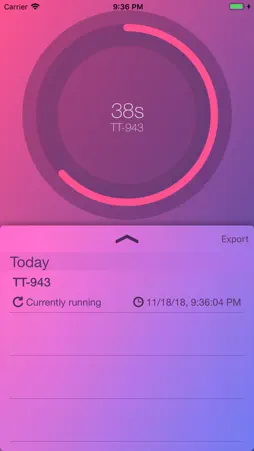
With Log your work you easily control the time you have invested in your tasks. It also runs on your Apple Watch. +++ What's new? +++ It's all about seconds. The work log finally has seconds to show. Siri Shortcuts are available for starting and stopping your work log. Haptic Feedback and better user interface handling. Refined Gestures. +++ Features +++ You can start exactly one timer at a time. The running timer is represented by a circular progress bar with three colors: - Seconds are in purple - Minutes have the color blue - Hours are presented with yellow Use Siri shortcuts to start or stop a work log. It integrates perfectly with Apples Shortcuts app. When you locked your device or Log your work runs in the background you can receive notifications about running timers. You can stop the timer by a tap on the notification. Export your WorkLogs in csv format. Just press on the appearing 'export' Button and the share sheet appears. ++ Settings ++ You can adjust the Log your Work settings: just go to system settings and search for Log Work app. Customize the settings as you wish. +++ Apple Watch +++ With your Apple Watch you can start and stop timers directly on your whrist. Notifications of active timers get delivered directly to the Apple Watch.
What's New
Version 1.4.1 2018-11-19
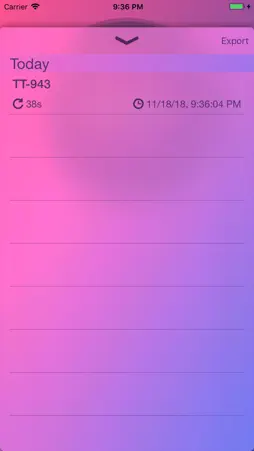
It's all about seconds. Each work log shows not only the hour and minute when it was started. Now seconds are shown too. Device support for the new iPad Pros. Technical Analysis
Package Overview Basic metadata
Bundle ID
de.larsbeier.apps.TimeTracker Current Version 1.4.1
Minimum iOS 10.3
Package Size App Store Size
Package Metadata 1 / 7 version records
3.0 / 5.0 (5 ratings)
Detailed binary, privacy manifest, framework, and Info.plist results have not been indexed for this package yet. The verified App Store and archive metadata above remains available.
Developer Information
Known Version Records
1 version record with stored package metadata • 7 known version records
Stored metadata does not guarantee a package is currently available to download.
| Details | Version / IDs | Version date | Action |
|---|---|---|---|
 14.83 MB | v1.4.1 App Store ID: 829129609Build: 105 | 2018-11-18 11:04:52 | Get Version |
| Not archived | App Store ID: 829087286 | Unknown | Request Version |
| Not archived | App Store ID: 828839169 | Unknown | Request Version |
| Not archived | App Store ID: 828772295 | Unknown | Request Version |
| Not archived | App Store ID: 828625191 | Unknown | Request Version |
| Not archived | App Store ID: 827966374 | Unknown | Request Version |
| Not archived | App Store ID: 827279547 | Unknown | Request Version |