Preview




Description
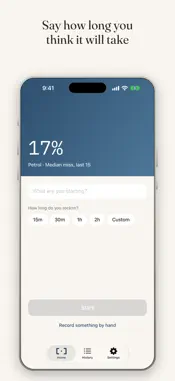
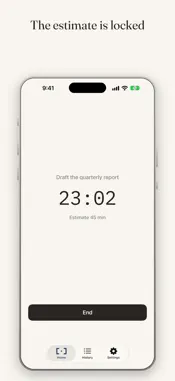
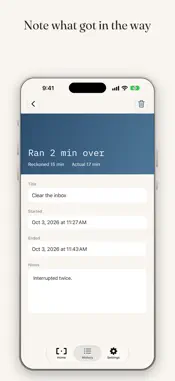
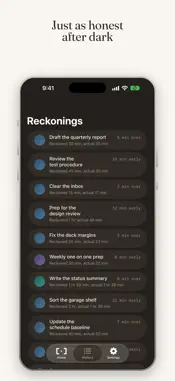
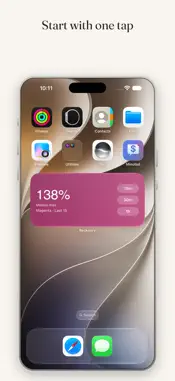
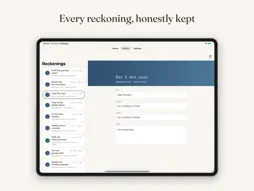
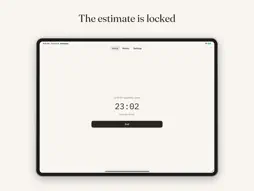
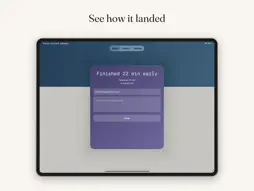
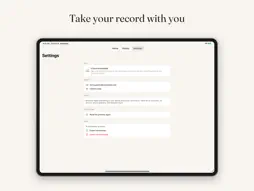
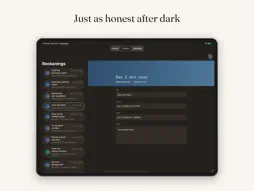
Reckonry records how long you think something will take, before you start it, then records how long it actually took. The gap between the two is the whole app. Most of us are confident about our estimates and wrong about them, and we rarely find out by how much, because nobody writes the guess down. Reckonry writes it down. HOW IT WORKS Pick a duration and start. Two taps from a cold launch, or one from the widget, Control Center, Siri, or the Action Button. While it runs, a Live Activity keeps the clock on your lock screen. The estimate is locked. You cannot revise what you thought, which is the entire point. When you end it, Reckonry tells you plainly how it landed. Ran twelve minutes over. Finished eight minutes early. Then it gets out of the way. THE DIVERGENCE ARC Every completed reckoning takes a color from how far the actual ran from the estimate, on a five stage arc from teal to magenta. It measures the size of the gap, not whether the gap was good or bad, so finishing early and finishing late are colored the same way. You did not know. That is the finding. Your home screen carries the median across your last fifteen reckonings, so the app takes on the color of how your estimates have actually been going. It is a reading, not a grade. WHAT IT REFUSES TO DO No accuracy score or grade. No streaks to protect. No AI insights or coaching. No suggested estimates. No progress bar racing your deadline. No trends telling you what you are. No notifications nagging you. Every estimate tracker eventually becomes a productivity scoreboard. Reckonry will not. A prediction you made honestly is worth more than one the app helped you get right. ALSO INCLUDED Home screen widget with one tap duration presets, and a live clock while a reckoning runs. Control Center controls and Action Button support, so you can start and end without opening the app. Siri and Shortcuts, for beginning a reckoning by voice or as part of an automation. Record by hand, for work the timer never saw. A weekend project, or something you estimated Tuesday and finished Thursday. A plain list of everything you have recorded, with notes if you want them. Export your whole record as CSV and JSON, to open in a spreadsheet or keep for yourself. Dark mode, and layouts built for iPad and iPhone Duo. PRIVATE BY DESIGN Everything stays on your device and syncs through your own iCloud account. No accounts to create, no servers, no analytics, no tracking. Nobody at KSQ Studios can see a single reckoning you have made. One time purchase. No subscription.
What's New
Version 1.1 2026-10-16
Reckonry 1.1 works in the dark, on bigger screens, and lets your record leave with you. DARK MODE Reckonry now follows your system appearance, with the five s... Technical Analysis
Package Overview Basic metadata
Bundle ID
app.ksqstudios.Reckonry Current Version 1.1
Minimum iOS 26.0
Package Size App Store Size
Package Metadata 0 / 0 version records
Detailed binary, privacy manifest, framework, and Info.plist results have not been indexed for this package yet. The verified App Store and archive metadata above remains available.
Developer Information
Known Version Records
0 version records with stored package metadata
Stored metadata does not guarantee a package is currently available to download.
| Details | Version / IDs | Version date | Action |
|---|