
Preview



Description
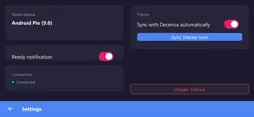
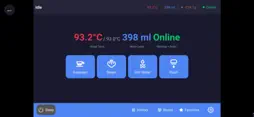
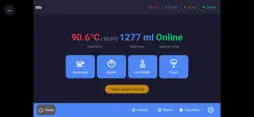
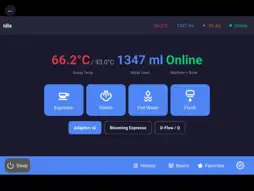
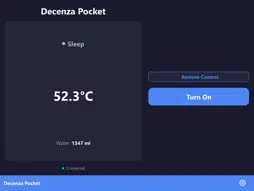
Decenza Pocket is the companion app for Decenza, a modern controller for Decent espresso machines. Pair it with your Decenza tablet and your espresso machine is one tap away — whether you're across the room or across town. Features • Power on from your home screen — a dedicated widget wakes your DE1 without opening the app, so the machine is hot by the time you reach the kitchen. • Live shot monitoring — watch pressure, flow, temperature and shot progress update in real time. • Auto-discovery on Wi-Fi — finds your Decenza tablet on the local network automatically. • Remote access from anywhere — secure WebSocket relay lets you control your machine when you're away from home. • Push notifications — get alerted when your machine is ready or when a shot finishes. Requirements A Decent espresso machine and a running Decenza tablet instance on espresso machine tablet. Decenza Pocket is a companion app — it does not control the espresso machine directly.
What's New
Version 1.0.2 2026-09-22
The widget now works. To create a Decenza Pocket widget on your iPhone, touch and hold an empty area on the Home Screen until the icons begin to jiggle. Tap **... Technical Analysis
Package Overview Basic metadata
Bundle ID
io.github.kulitorum.decenzapocket Current Version 1.0.2
Minimum iOS 17.0
Package Size App Store Size
Package Metadata 0 / 0 version records
Detailed binary, privacy manifest, framework, and Info.plist results have not been indexed for this package yet. The verified App Store and archive metadata above remains available.
Developer Information
Known Version Records
0 version records with stored package metadata
Stored metadata does not guarantee a package is currently available to download.
| Details | Version / IDs | Version date | Action |
|---|