Preview


Description
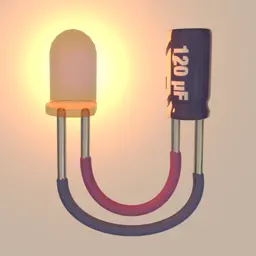
iCircuit 3D gives you an endless virtual workbench to design, build, and test electronics projects in 3D. It combines the robust real-time, always-on simulation engine of iCircuit with modern 3D rendering and physics on iOS and macOS. Do not let the availability of physical parts limit your creativity. Choose from an expansive library of 150+ physically and electronically simulated parts and over 1,000 reference boards to plan layouts, wire circuits, test ideas, and iterate fast. It also includes the full standard component library from the original iCircuit, so you can switch between realistic parts and symbolic circuit elements whenever you want. When powered, LEDs light up realistically, DC motors spin, and speakers make noise. Watch current flow along your simulated wires. See pinouts and color codes directly on components. Tap any part to view live values like voltage and current, then change parameters instantly. If you miswire something or overstress a component, magic smoke will billow from the point of failure so you can quickly diagnose and fix the problem. Add reference photos to the environment, import your own 3D models to mount projects onto, or use Blocks to build enclosures, panels, and simple structures. FEATURES • Tons of resistors, capacitors, and LEDs • Multiple breadboards and wiring elements • Diodes, BJTs, MOSFETs • DC power supplies • Waveform generators (AC, square, sawtooth) • Batteries (AA, AAA, 18650, coin cells, and more) • Switches (SPST, SPDT) • Buzzers and speakers • DC motors and servos • Programmable Arduino elements • The full symbolic iCircuit library (standard components included) • 1,000+ reference circuit boards for layout planning (not fully simulated) • Import board layouts from Eagle (imported layouts are for wiring/layout reference and do not simulate) • Import custom 3D models to attach your projects to, and simulate their behavior on the workbench • Import images for reference or documentation and place them as physical photographs HOW IT WORKS Add parts to the 3D workbench and they land on the table with gravity. Drag parts around, then draw wires between ports to connect them. When a circuit is completed, it starts simulating immediately. Wires stay connected as you move parts, so you can build tidy panels and enclosures, or leave parts scattered like a real bench. iCircuit 3D was designed for fun and exploration, with plenty more to discover as you build. I hope you enjoy this new take on circuit software.
What's New
Version 1.16 2026-10-12
iCircuit 3D 1.16 brings I2C to your 3D workbench, along with a batch of new parts. I2C SENSORS AND DISPLAYS • SSD1306 OLED display: draw text and graphics from... Technical Analysis
Package Overview Basic metadata
Bundle ID
com.kruegersystems.icircuit3d Current Version 1.16
Minimum iOS 13.0
Package Size App Store Size
Package Metadata 1 / 3 version records
Detailed binary, privacy manifest, framework, and Info.plist results have not been indexed for this package yet. The verified App Store and archive metadata above remains available.
Developer Information
Known Version Records
1 version record with stored package metadata • 3 known version records
Stored metadata does not guarantee a package is currently available to download.
| Details | Version / IDs | Version date | Action |
|---|---|---|---|
| 134.45 MB | v1.15 App Store ID: 854474320Build: 1.15 | 2026-02-28 17:24:49 | Paid / Arcade |
| Not archived | App Store ID: 843933105 | Unknown | Paid / Arcade |
| Not archived | App Store ID: 838971948 | Unknown | Paid / Arcade |