Preview




Description
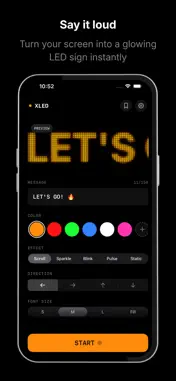
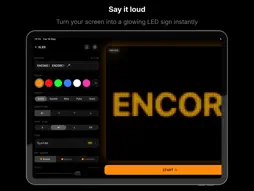
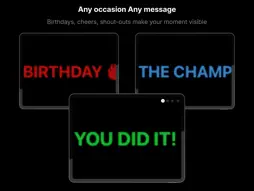
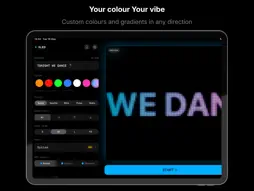
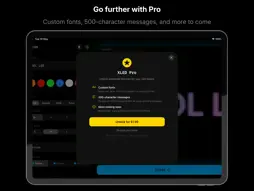
XLED turns your iPhone or iPad into a bright, scrolling LED dot-grid display. Type a message, choose a colour, and hold it up — your screen becomes a glowing sign that people can read from across the room. HOW IT WORKS Type your message, pick a colour, hit START. Your screen fills with a full-brightness LED board with glowing dot animations. Rotate the device freely — the display adapts instantly. EFFECTS • Scroll — classic scrolling text in any direction • Sparkle — each dot flickers independently like real LEDs • Blink — sharp on/off strobe rhythm • Pulse — smooth breathing brightness • Static — centred text, no movement COLOURS Choose from 6 vibrant presets — Amber, Red, Green, Blue, White, Pink — or create your own. Build custom solid colours or two-stop gradients in 6 directions. Your chosen colour tints the entire interface. CONTROLS • Font scale: Small / Medium / Large / Fill (uses the whole screen) • Dot shape: Round / Square / Diamond • Scroll direction: left, right, up, down • Speed: tap x1 / x2 / x3 while displaying • Tap to pause, tap again to resume • Brightness up to 2.5x for outdoor use • Glow intensity and spread controls for that authentic LED bloom SAVE YOUR BOARDS Save unlimited boards — message, colour, effect, speed, font, everything. Load any board instantly with one tap. Pin favourites to the top. XLED PRO Unlock the full experience with a one-time purchase: • Import custom fonts (.ttf / .otf) — any typeface on your LED board • 500-character messages for long scrolling displays • More features coming soon BUILT TO LAST THE MOMENT • Screen stays on — no auto-lock • Free rotation — portrait or landscape, your choice • 120 fps ProMotion rendering on supported devices • No account, no subscription, no tracking The possibilities are endless: Birthday wishes, proposals, cheering at games, protests and rallies, stage performances, shop displays, events and markets, graduation shout-outs, or just saying hi. Whatever you want to say — XLED helps you say it loud.
What's New
Version 1.1 2026-05-21
Bug Fixes - Fixed iOS deployment target to iOS 17.6 - Fixed onboarding in iPad New Features - A− / A+ buttons on the fullscreen canvas overlay to adjust f... Technical Analysis
Package Overview Basic metadata
Bundle ID
com.picir.XLED Current Version 1.1
Minimum iOS 17.6
Package Size App Store Size
Package Metadata 0 / 0 version records
Detailed binary, privacy manifest, framework, and Info.plist results have not been indexed for this package yet. The verified App Store and archive metadata above remains available.
Developer Information
Known Version Records
0 version records with stored package metadata
Stored metadata does not guarantee a package is currently available to download.
| Details | Version / IDs | Version date | Action |
|---|