Screen Mirroring – Chromecast
(18,662 App Store ratings)
🏆 Best: #71 Top Grossing (NZL)
IPA Analysis Preview




Description
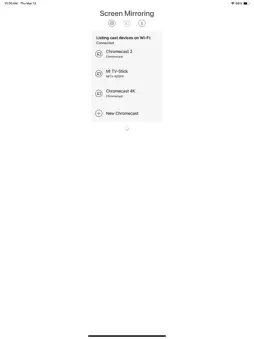
Chromecast Mirroring & Remote mirrors your iPhone or iPad screen with sound, full HD quality and low-latency to Chromecast and Google TV Streamer. You can mirror videos, websites, photos, games, apps, presentations, spreadsheets and documents and to your Chromecast. You can also remote control your Chromecast. * Supported devices: Chromecast, Google TV Streamer and TVs with Chromecast built-in or Google Cast. * Supported TVs and streaming players: Xiaomi MI Box, NVIDIA Shield TV and all TVs with Google Cast or Chromecast built-in, e.g. Sony, TCL, Vizio, Sharp, Philips, Hisense, Skyworth, Soniq. * Your iPhone/iPad and your Chromecast must be connected to the same Wi-Fi to make screen mirroring work. * Latency is very low (below 1 second) when you have good Wi-Fi network conditions. * The app has no hidden subscriptions or costs and mirroring can be used for free and without time limitations. Some extra features are available as a upgrade and can be purchased for a small one-time fee. * If a third party app, for example Spotify, does not mirror sound correctly, please FORCE CLOSE and restart Spotify while the mirroring session is active. Please check the Apple Support page to learn how to FORCE CLOSE an app: https://support.apple.com/en-us/HT201330. * Black screen problems: Some third party apps don not allow screen mirroring. When you try to mirror their content, a black screen will appear on your TV, for example with Amazon Prime, HBO and other services. This is a restriction chosen by the content providers. * This unique app is developed and maintained since 2019. With every update we improve the quality of the app. * Our support team is here to help you via email. Please don't hesitate to reach out if there's anything we could do to improve the app for you. Disclaimer: This app is not affiliated with Google or any other trademark mentioned here. Chromecast and Google TV Streamer are trademarks of Google LLC.
What's New
Version 3.6 2025-11-21
- Bug fixes Technical Analysis
Package Overview Package analysis available
Bundle ID
de.2kit.Screen-Mirroring-Free Current Version 3.6
Minimum iOS 12.0
Package Size App Store Size
Package Metadata 1 / 24 version records
WebRTC
org.webrtc.WebRTC v1.0iOS 11.0+18.26 MB
Developer Information
Known Version Records
1 version record with stored package metadata • 24 known version records
Stored metadata does not guarantee a package is currently available to download.
| Details | Version / IDs | Version date | Action |
|---|---|---|---|
 36.2 MB | v3.6 App Store ID: 879909463Build: 3.6 | 2025-11-19 16:00:26 | Get Version |
| Not archived | App Store ID: 879489797 | Unknown | Request Version |
| Not archived | App Store ID: 878426291 | Unknown | Request Version |
| Not archived | App Store ID: 876375647 | Unknown | Request Version |
| Not archived | App Store ID: 875878501 | Unknown | Request Version |
| Not archived | App Store ID: 872854524 | Unknown | Request Version |
| Not archived | App Store ID: 869330207 | Unknown | Request Version |
| Not archived | App Store ID: 862325008 | Unknown | Request Version |
| Not archived | App Store ID: 861774397 | Unknown | Request Version |
| Not archived | App Store ID: 853407973 | Unknown | Request Version |
| Not archived | App Store ID: 847239768 | Unknown | Request Version |
| Not archived | App Store ID: 842587775 | Unknown | Request Version |
| Not archived | App Store ID: 840705354 | Unknown | Request Version |
| Not archived | App Store ID: 839609735 | Unknown | Request Version |
| Not archived | App Store ID: 839106569 | Unknown | Request Version |
| Not archived | App Store ID: 837889184 | Unknown | Request Version |
| Not archived | App Store ID: 835919358 | Unknown | Request Version |
| Not archived | App Store ID: 835198825 | Unknown | Request Version |
| Not archived | App Store ID: 833594760 | Unknown | Request Version |
| Not archived | App Store ID: 833066674 | Unknown | Request Version |
| Not archived | App Store ID: 831321183 | Unknown | Request Version |
| Not archived | App Store ID: 831095358 | Unknown | Request Version |
| Not archived | App Store ID: 830378050 | Unknown | Request Version |
| Not archived | App Store ID: 829991735 | Unknown | Request Version |