
Preview





Description
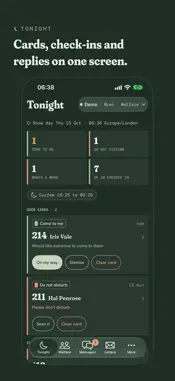
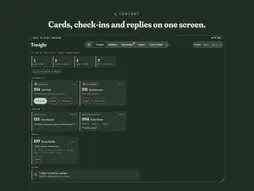
Tuni Crew is the crew side of Tuni, on your phone. Tuni puts a locked-down iPad in every contestant's room on a reality TV production. This app is for the people looking after them: welfare, producers, security and the food team. You need a crew account from a production that uses Tuni. There's no sign-up in the app. Your production sets up your account and tells you which show to join. SIGN IN TO YOUR SHOW Scan the QR code on your call sheet, or type your show's address. Sign in with the same username or email and password you use on the crew dashboard. After that, Face ID, Touch ID or your passcode opens it. Working on two shows? Add both and switch between them at the top of the screen. DOOR CARDS Cast can put up a green card when they'd like someone to come to them, or a red card when they'd rather not be disturbed. Welfare, producers and security all see them. When a green card goes up in room 214 at 22:41, your lock screen says "Room 214 · come to me". Tap On my way and everyone else's notification changes to say you're going. By default, if nobody has gone after 10 minutes, everyone who sees cards gets a follow-up. CHECK-INS When a contestant's check-in asks to speak to someone, welfare get a notification. Low scores are flagged too. Acknowledge a check-in, or note that you've spoken to them, from the list, the notification or the player's profile. MESSAGES Send a message to one room or to a few, choose how long it stays up, and read the replies as they come in. Sending to every iPad is a separate choice you confirm, and it's never the default. LETTERS FROM HOME If your show uses Letters, moderators can approve, edit or block letters between cast and family from the phone. Welfare are told when a letter is held for them. WHO HEARS, AND HOW LOUDLY Each show sets how loud each kind of notification is, from silent in the list to coming through Focus. It can come through Focus only between 22:00 and 08:00, say, or only during lights-out. Put people on tonight's on-call rota and they hear first. Everyone else in that role hears after 10 minutes, or whatever delay your show sets. You can mute types or set off-duty hours for yourself, but the follow-up for a card or a request to talk that's still waiting reaches you anyway. ON SHIFT Start On shift and your lock screen keeps a running count of what your role can see: cards up, check-ins in, tonight's curfew. Widgets on the home and lock screens show the same counts and a 24-hour show-day dial that starts at 04:00, and Control Centre can open the door board or start On shift. On an Apple Watch, notifications arrive with the same buttons. THE REST OF THE SHOW Meal windows, orders and the kitchen sheet, schedules, timesheets, wardrobe, the documents cast see, curfew, the iPads themselves, reports, and the show's settings and crew accounts are all here, as your role allows on the web. On iPad, the list and the detail sit side by side. WHAT STAYS PRIVATE Your lock screen shows a room number and the kind of notification. Cast names and messages appear once you've unlocked. Notifications pass through Apple with no names, rooms or messages in them; your phone asks your show's own server for the room number when one arrives. Check-ins, replies and letters aren't saved on the phone. Face ID asks again after 5 minutes away, and the app hides behind a cover while the screen is being recorded. There's no advertising and no tracking, and no analytics code in the app. If you leave a production, they can sign your phone out from the dashboard. You can do the same from My phones, or delete your account in Settings. Questions: [email protected]
What's New
Version 1.0.2 2026-11-06
Sending a message from a player's profile now says so: the box empties and shows "Sent to" their name and the time, until you start typing again. Tapping Send m... Technical Analysis
Package Overview Basic metadata
Bundle ID
info.tuni.crew Current Version 1.0.2
Minimum iOS 18.0
Package Size App Store Size
Package Metadata 0 / 0 version records
Detailed binary, privacy manifest, framework, and Info.plist results have not been indexed for this package yet. The verified App Store and archive metadata above remains available.
Developer Information
Known Version Records
0 version records with stored package metadata
Stored metadata does not guarantee a package is currently available to download.
| Details | Version / IDs | Version date | Action |
|---|