
Preview








Description
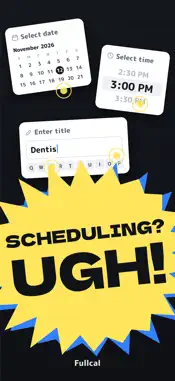
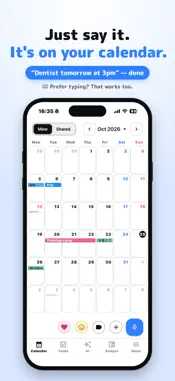
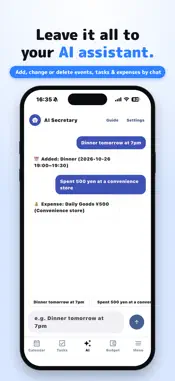
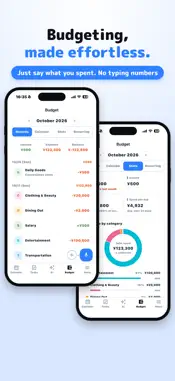
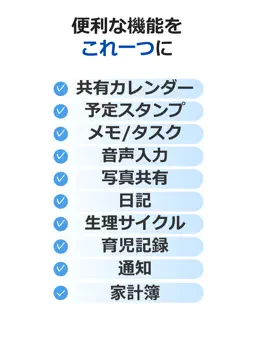
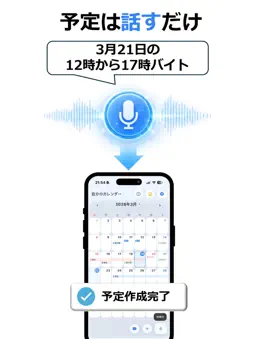
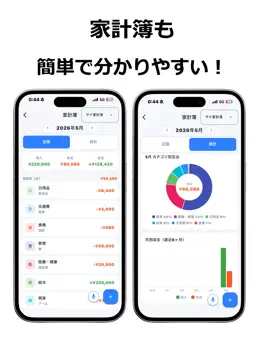
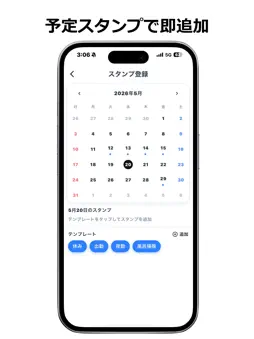
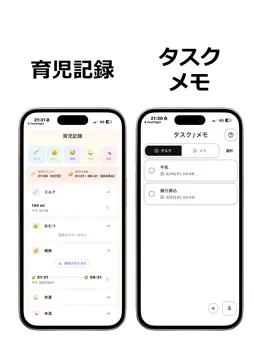
The calendar that ends "adding events is such a hassle" — just say it. Pick a date. Pick a time. Type a title… We turned all that into your voice. Events, tasks, memos, budget. Your daily records, all in Fullcal. ■ Just say it — it's on your calendar Say "Dentist tomorrow at 3pm" and it's added. Natural phrasing works: "next Monday", "Oct 10 to 12", "until noon". If you don't say a time, it becomes an all-day event. Each phrase becomes one thing — an event, a task or a memo. Say "Add buy milk to my tasks" or "Memo: ..." to choose. And of course, you can type it in by hand too. ■ Share plans and photos with everyone Share a calendar with family or your partner just by sending an invite code. Members get a push notification when an event is added. Share photos by date too, so memories don't get buried in group chats. ■ Period tracking and prediction Log your period and the next one is predicted and shown on your calendar, with PMS days marked. Predictions are only estimates. Do not use them for medical decisions. ■ Leave it all to the AI Secretary Just ask in chat and the AI adds, changes or deletes events, tasks and budget entries for you. "Move the dentist to 4pm." "Delete the gym task." "Add dinner tomorrow at 7pm to the Family calendar." When several items match you can pick from a list, and deleting always asks for confirmation first. Note: the AI Secretary is only for managing events, tasks and your budget. It does not do chit-chat or give advice. ■ Budgeting, made effortless Record expenses and income by voice or by hand — just say "Lunch 800 yen." See your money flow with this month's balance, comparison with last month, category ranking, daily and monthly trends and your top 5 expenses. Register recurring payments (subscriptions and more) and they're added to your budget automatically on payment day. Note: the budget is personal and can't be shared. ■ Keep your child's precious memories Log milk, diapers, sleep, weight and temperature, with a reminder for the next feeding. In the Growth Diary, save what your child learned to do, with photos (age in months shown automatically). ■ Home screen & lock screen widgets See today's and tomorrow's events, tasks, memos and a month calendar without opening the app. Colors follow your theme. On iPhone, a "Next event" widget is available on the lock screen too. ■ And more ・Diary with text and photos, event stamps, colors, repeating events, reminders and holidays ・Diet tracking (weight, BMI, monthly graph) ・Theme colors ・Available in Japanese and English ■ Plans ・Free: all the main features (with ads; 20 AI Secretary uses in total; up to 10 photos a day) ・Pro (monthly subscription): no ads, unlimited AI Secretary, up to 100 photos a day, up to 20 shared calendars Pro is an auto-renewing subscription. Payment is charged to your store account and renews automatically unless canceled at least 24 hours before the end of the period. You can cancel anytime in your store account settings. Bring your scattered daily records together in Fullcal. Terms of use: https://shabekare.github.io/shabekare-public/terms.html
What's New
Version 2.3.0 2026-10-27
What's new in v2.3.0 Days with a diary, photos or a memory glow rainbow on the calendar! "One-line memories" for shared calendars Swipe to change months Rep... Technical Analysis
Package Overview Basic metadata
Bundle ID
com.koki.shabekare Current Version 2.3.0
Minimum iOS 15.0
Package Size App Store Size
Package Metadata 0 / 3 version records
Detailed binary, privacy manifest, framework, and Info.plist results have not been indexed for this package yet. The verified App Store and archive metadata above remains available.
Developer Information
Known Version Records
0 version records with stored package metadata • 3 known version records
Stored metadata does not guarantee a package is currently available to download.
| Details | Version / IDs | Version date | Action |
|---|---|---|---|
| Not archived | App Store ID: 886281836 | Unknown | Request Version |
| Not archived | App Store ID: 886064655 | Unknown | Request Version |
| Not archived | App Store ID: 883577497 | Unknown | Request Version |