Preview
Description
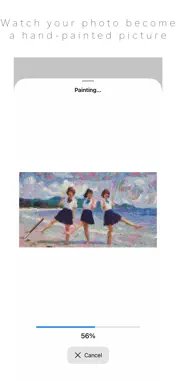
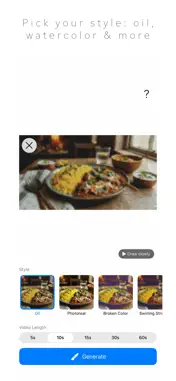
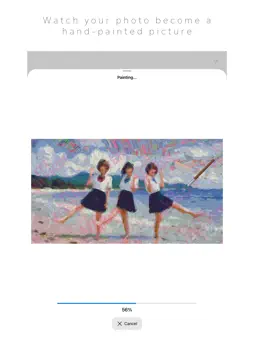
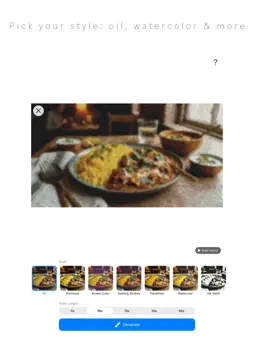
Pick one photo and get a time-lapse video of it being painted stroke by stroke on an empty canvas, in an oil-painting or watercolor style. ◆ The painting process becomes the video Large brushes lay down the big shapes first, then finer and finer brushes add the details. Every stroke is recorded along with the moving brush. ◆ Twenty-two styles Oil, Photoreal, Broken Color, Swirling Strokes, Pointillism, Watercolor, Ink Wash, Pastel, Colored Pencil, Pop, CMYK Layers, 16-Color Pixel Art, Spray Paint, Sand Art, Splatter, Light Painting, Light Dots, Fine Pencil, Pen & Ink, Black & Pink, Cables, Toy Bricks ◆ Fully on-device, privacy first Your photos are never uploaded to any server. Everything happens inside your own iPhone or iPad. - Never used to train AI - No ads - No notifications - No sign-up: open it and start ◆ Choose the length Anything from 5 to 60 seconds. You can make short clips for social media or longer videos that show the whole process. ◆ Check how a style turns out before you choose Each style thumbnail is a small painting of your own photo in that style. ◆ How to use 1. Choose a photo with the "Choose photo" button 2. Pick a style from the row of thumbnails of your own photo 3. Choose a length (5, 10, 15, 30 or 60 seconds) 4. Tap Generate 5. Check the finished video and save it ◆ Please note The painting order in the video is inferred from the finished look of the image you choose. Even with a real drawing or illustration, it does not reproduce how that picture was actually made. Please use photos and images in line with the laws of your country, including copyright and the right of publicity. If you use someone else's work or photo, get permission from the rights holder. ◆ Great for - Turning travel or pet photos into painting videos for social media - Watching your favorite scenery appear as a painting This is the free Lite version. A "LITE VERSION" watermark is added to the video. The features are exactly the same as the Pro version, so please make sure it works well on your device first.
Technical Analysis
Package Overview Basic metadata
Bundle ID
com.kojingharang.PaintLapseLite Current Version 1
Minimum iOS 18.0
Package Size App Store Size
Package Metadata 0 / 0 version records
Detailed binary, privacy manifest, framework, and Info.plist results have not been indexed for this package yet. The verified App Store and archive metadata above remains available.
Developer Information
Known Version Records
0 version records with stored package metadata
Stored metadata does not guarantee a package is currently available to download.
| Details | Version / IDs | Version date | Action |
|---|