Preview





Description
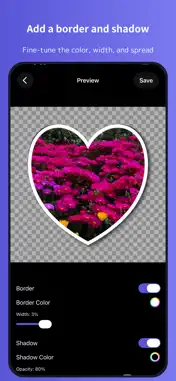
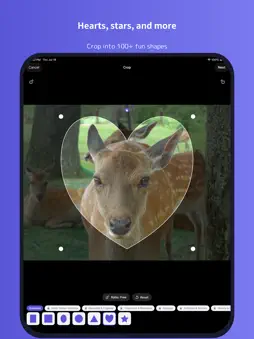
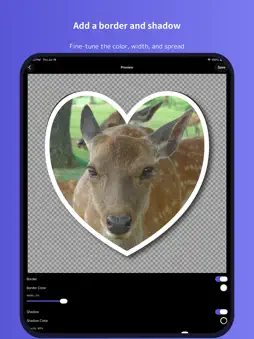
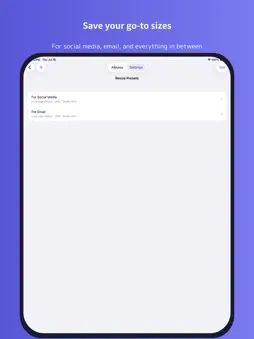
BatchResizer3 lets you resize multiple photos at once and crop them into a variety of shapes. You can also delete selected photos in bulk. Resized photos can be saved to any album, shared to social media, or sent by email. Save your frequently used sizes as presets in advance for quick, effortless resizing. 【Features】 ● Resize multiple images at once. ● Resize and crop to a square in a single step. ● Resize PNG images while preserving transparency. ● Crop photos into a variety of shapes — hearts, stars, and more — then add a border and shadow. ● Customize the border's color and thickness. ● Save your frequently used resize settings as presets. ● Choose your output format. ● Send resized images by email or share them to social media without saving to your Camera Roll. ● Choose whether to keep the original image's metadata. ● Delete selected photos in bulk. ● View each image's metadata (Exif, TIFF, GPS, file size, file name, and more). 【Note】 BatchResizer3 requires access to your photos to work. A permission prompt appears the first time you launch the app. If you deny access and want to grant it later, open the Settings app and allow Photos access for "BatchResizer3."
What's New
Version 1.0.2 2026-08-06
- Adjusted the frequency of ad displays. Technical Analysis
Package Overview Basic metadata
Bundle ID
jp.tea-leaves.BatchResizer3 Current Version 1.0.2
Minimum iOS 26.0
Package Size App Store Size
Package Metadata 0 / 0 version records
Detailed binary, privacy manifest, framework, and Info.plist results have not been indexed for this package yet. The verified App Store and archive metadata above remains available.
Developer Information
Known Version Records
0 version records with stored package metadata
Stored metadata does not guarantee a package is currently available to download.
| Details | Version / IDs | Version date | Action |
|---|