
Preview




Description
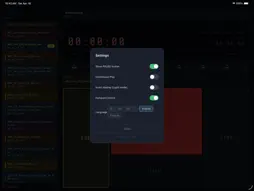
DeckCue is a professional iPad app for remote-controlling the Blackmagic Design HyperDeck series. Built for live events, concerts, broadcast, and exhibitions — a simple, reliable design ready for real-world video playback. BASIC OPERATION Tap a clip to CUE, press GO to play. Even during playback, cue up the next clip and switch to it instantly with GO. Simple enough for any operator. REAL-TIME TIMECODE COUNTER A large timecode counter updated every 100ms, showing remaining and elapsed time at once. Yellow warning at 30 seconds, flashing red at 10 — solid time management during the show. AUTOMATIC CLIP LOADING The clip list loads the moment you connect, along with SSD name and video format. Assign colors to individual clips for instant identification — color labels are restored automatically after media swaps. SEARCH — PLAY FROM ANY POSITION Set a start position and jump to it with one tap. Accurate even in 59.94fps drop-frame environments. IN-POINT MEMORY Save a start position for each clip. Footage with color-bar heads or varying starts cues straight to the real content with a single tap. In-points are tied to the clip name, so they are restored automatically even after an SSD swap. LOOP & CONTINUOUS PLAY Three playback modes: single-clip stop (default), continuous play, or loop. Ideal for BGM, exhibitions, and broadcast use. MULTI-DECK SUPPORT Add and manage decks with custom names (e.g. "Deck A", "Sub Screen") and switch between multiple HyperDecks with tabs. CONNECTION MONITORING Instant disconnect alerts with automatic reconnection. The screen stays on during operation, and the TCP connection is maintained even if the screen locks. DeckCue also reconnects to your last-used deck automatically at launch. NUMPAD CONTROL Wired and Bluetooth numpads supported — connect and it just works. Skip steps toggle between seconds (±5/±30) and minutes (±5/±15); numpad keys 1/2/4/5 follow the current mode. - 0 / Enter: GO - 1: SKIP -5s (-5min in minute mode) - 2: SKIP +5s (+5min in minute mode) - 3: PAUSE - 4: SKIP -30s (-15min in minute mode) - 5: SKIP +30s (+15min in minute mode) - 6: STOP - 7: HEAD - 8: TAIL (2s before end) - 9: Toggle LOOP - Tab: Switch deck - +: Next clip - −: Previous clip SUPPORTED DEVICES HyperDeck Studio HD Mini / HD Plus / HD Pro / 4K Pro HyperDeck Shuttle HD / Shuttle 4K Pro HyperDeck Extreme 4K / Extreme 8K Compatible with all models that have Ethernet connectivity. REQUIREMENTS - iPad (iPadOS 16 or later) - Recommended: iPad Air 11" / 13" (M2 or newer) - Same LAN as the HyperDeck (wired LAN recommended) - HyperDeck setting: Remote Control → On NOTES This app is not an official Blackmagic Design product. It uses the publicly documented HyperDeck Ethernet Protocol. Firmware updates may affect operation. Always test with your actual hardware before going live.
What's New
Version 1.4.1 2026-10-20
• Fixed an issue where cueing a clip with an in-point could briefly show the clip's first frame on the deck output. Cueing now seeks directly to the in-point (T... Technical Analysis
Package Overview Basic metadata
Bundle ID
com.deckcue.app Current Version 1.4.1
Minimum iOS 15.0
Package Size App Store Size
Package Metadata 0 / 2 version records
Detailed binary, privacy manifest, framework, and Info.plist results have not been indexed for this package yet. The verified App Store and archive metadata above remains available.
Developer Information
Known Version Records
0 version records with stored package metadata • 2 known version records
Stored metadata does not guarantee a package is currently available to download.
| Details | Version / IDs | Version date | Action |
|---|---|---|---|
| Not archived | App Store ID: 887800326 | Unknown | Paid / Arcade |
| Not archived | App Store ID: 884655540 | Unknown | Paid / Arcade |