Preview





Description
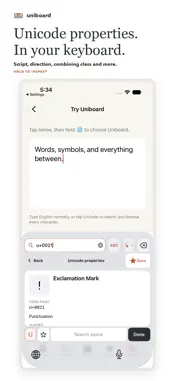
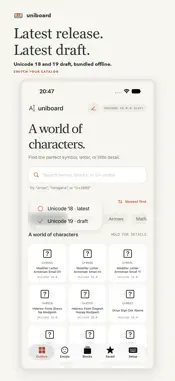
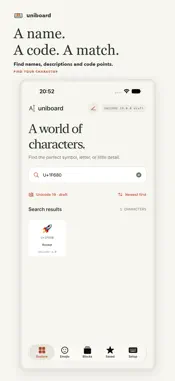
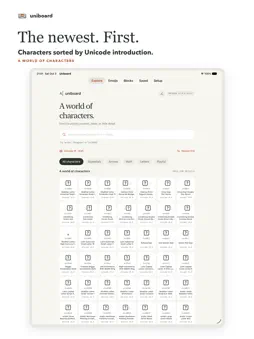
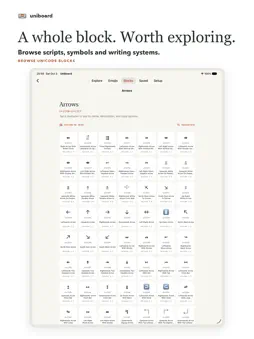
Find Unicode characters, make the keyboard your own, and write Japanese or Mandarin Chinese using familiar letter keys. Uniboard combines exact character entry, personal symbol pages, font previews and downloadable language resources for iPhone and iPad. YOUR KEYS, YOUR ROWS Edit letter, number and symbol key actions, arrange keys in rows, and align rows left, center, right or with space between keys. Existing configurations keep their saved appearance until edited. The extra number row belongs to the letter section. When all ten digits are available there and the layout fits, the symbol sections combine into one page without discarding saved key choices. LANGUAGE CONVERSION Japanese romaji and Mandarin pinyin dictionaries are optional downloads, not bundled with the keyboard. In Languages, download only what you want, then enable each mode separately. Nothing downloads automatically. Conversion runs on your device. Choose converted text or tap your original spelling to insert it unchanged. While composing, Space confirms without adding a space, and Return confirms without submitting; press again for the normal action. Downloaded languages require Full Access so the keyboard can read language files shared by the app. This is local file access, not online typing. Direct Typing remains available without Full Access. Downloads require an internet connection. YOUR WORDS Add readings and preferred outputs in My Words, or preview and import a dictionary in Uniboard’s documented tab-separated text format. Imported dictionaries stay separate and can be enabled, disabled, exported or removed. Undo the last import without replacing your other dictionaries. Custom output preserves exact Unicode sequences, including emoji and combining accents. BROWSE AND INSPECT Search Unicode names, aliases, blocks or code points. Choose which emoji categories appear in the app and keyboard, including emoji search. Resize emoji in the app, and browse blocks from low to high or high to low code points. Hidden categories don’t remove saved favorites. Inspect the text visible in the keyboard preview: code points, names, normalization forms and UTF-8/UTF-16 values. Move the cursor within the text the typing app exposes. Inspection does not read the whole document, and available context depends on the app. FONTS AND IMAGES Compare font styles by weight and width. Download a single style where available, or a clearly labeled shared file containing several styles. Set preferred fonts for code points, ranges or blocks. These choices affect Uniboard’s rendering, not another app’s fonts. Copy visible preview text as an image with custom colors, transparency and resolution. Images paste as pictures where supported, not editable text. KEEP YOUR SETUP Export and import your configuration, or edit it in the app and validate before applying. Review replacements and resets, and undo the last configuration change. Language preferences and download references can be included, but dictionary and font files aren’t; missing downloads aren’t fetched automatically. Export custom dictionaries separately. Favorites and custom key text may be personal. No account, ads or analytics. Uniboard’s keyboard does not send your typing or custom words to a server. Enable Uniboard in iOS Settings under General > Keyboard > Keyboards. Some fields don’t allow custom keyboards. The interface and Unicode names are English. Font coverage, language resources and host-app behavior vary.
What's New
Version 1.5 2026-11-11
• Type Korean with the standard two-set Hangul layout, using an optional download. • Suggested Languages recommends input modes from the keyboards and languages...• Type Korean with the standard two-set Hangul layout, using an optional download. • Suggested Languages recommends input modes from the keyboards and languages on your iPhone. That check stays on your device. • Language downloads check storage first, show Mandarin's progress while it's prepared, and can be retried or removed if something goes wrong. • My Words: search every dictionary at once, sort entries, duplicate an entry, inspect an output's code points, and review a whole import file with search and pages. • Emoji: Automatic size, and Fewer Variants to hide repeated skin tones while browsing. • Keyboard editing: Undo Arrangement, pick a row directly to align it, and a note when symbol pages merge or split. • Fonts: see each file's styles and size, which font rules use it, and how much of the 16-font capacity is used. • In landscape, Mandarin and Japanese now leave room to see your text, and the conversion bar stays blank until you type. Downloaded languages need Full Access for local file sharing. Conversion runs on-device; nothing downloads automatically. Technical Analysis
Package Overview Basic metadata
Bundle ID
ad.neko.uniboard Current Version 1.5
Minimum iOS 17.0
Package Size App Store Size
Package Metadata 0 / 0 version records
Detailed binary, privacy manifest, framework, and Info.plist results have not been indexed for this package yet. The verified App Store and archive metadata above remains available.
Developer Information
Known Version Records
0 version records with stored package metadata
Stored metadata does not guarantee a package is currently available to download.
| Details | Version / IDs | Version date | Action |
|---|