Preview


Description
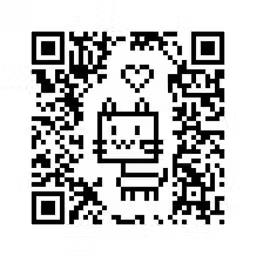
From now on, you can draw QR Code by yourself! We use a lot of complex technology to make this impossible thing possible. How to use: 1.Create a new project. Please touch the "+" button in the upper right corner of the main screen, then a dialog box will pop up to let you choose a canvas type. There are 3 types of canvas for you, horizontal rectangle, vertical rectangle and Circular. 2.After choosing the canvas, we will enter the painting screen, we call it "Pixel Factory". First, you can enter URL or Email address which you want to include in the QR Code. 3.Start to design your QR Code. You can draw anything in the gray area of the canvas. The right of the drawing tool is the color box, there are black, white and transparent color for you. The right of the color box is the expanding tool. You can use them to extend black or white edge. The lower left of the canvas is the undo and redo buttons,You can return 10 steps. The lower right of the canvas is a zoom button. 4.Generate your QR Code。Please touch the "Generate" button which is on the right of the text input field to generate your QR Code. This step will take some time. 5.Share your QR Code。After the QR Code is generated, it will show on the bottom of the canvas. If you touch it, the sharing sheet will pop up. QR Code List: Back to the main screen you can see the QR Code just created. If you touch it, a action sheet will pop up. You can share, edit, duplicate or delete the QR Code. Attention: Max 32 characters
What's New
Version 1.3 2022-03-22
Fixed some bugs. Technical Analysis
Package Overview Basic metadata
Bundle ID
jp.dreamo.PixelQR Current Version 1.3
Minimum iOS 13.0
Package Size App Store Size
Package Metadata 1 / 5 version records
3.0 / 5.0 (2 ratings)
Detailed binary, privacy manifest, framework, and Info.plist results have not been indexed for this package yet. The verified App Store and archive metadata above remains available.
Known Version Records
1 version record with stored package metadata • 5 known version records
Stored metadata does not guarantee a package is currently available to download.
| Details | Version / IDs | Version date | Action |
|---|---|---|---|
 3.06 MB | v1.3 App Store ID: 847687104Build: 2 | 2022-03-21 07:42:50 | Get Version |
| Not archived | App Store ID: 841705301 | Unknown | Request Version |
| Not archived | App Store ID: 820253359 | Unknown | Request Version |
| Not archived | App Store ID: 820208409 | Unknown | Request Version |
| Not archived | App Store ID: 820043790 | Unknown | Request Version |