Preview







Description
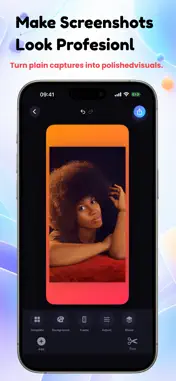
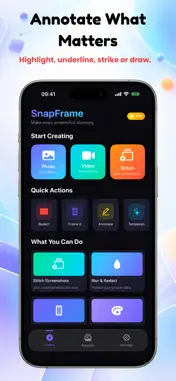
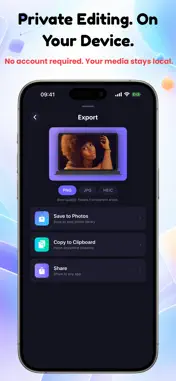
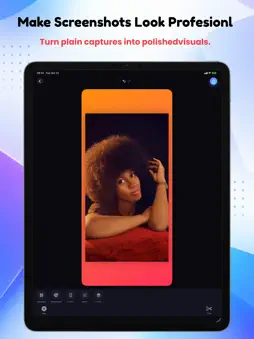
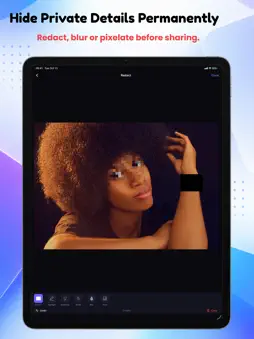
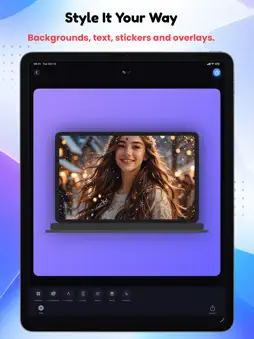
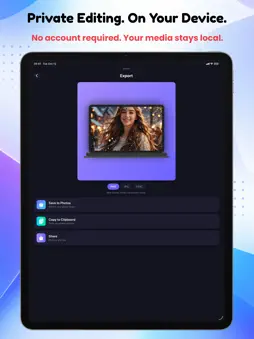
Make screenshots look professional in seconds—and keep private things private. SnapFrame is an on-device screenshot, photo and screen-recording editor for creating polished visuals, permanently hiding sensitive details, and joining scrolling screenshots into one clean image. MAKE SCREENSHOTS LOOK BETTER Turn a plain screenshot or photo into something ready to share. Choose gradient, solid-colour, transparent-look or custom-image backgrounds. Add device frames including iPhone, iPad, MacBook, Apple Watch and browser windows. Fine-tune margin, corner radius and shadow, then add text, stickers, image overlays, drawings and visual effects. REDACT PRIVATE INFORMATION FOR REAL Need to share a chat, receipt, bank screen or document? Use Redact, Blur or Pixelate to hide private areas. These changes are burned into the exported image pixels at full resolution, so the hidden content is not simply covered by a removable layer. You can also Highlight, Underline or Strike important information when you want to explain something instead of hiding it. STITCH SCROLLING SCREENSHOTS Select up to 30 screenshots and combine them vertically or horizontally. Smart Align finds overlapping content between neighbouring screenshots and removes repeated areas. It also accounts for fixed elements such as status bars, headers and tab bars so they do not repeat through the middle of the result. Reorder screenshots before stitching. If two images cannot be aligned, SnapFrame tells you and joins them as-is instead of silently producing a misleading result. STYLE SCREEN RECORDINGS Import a video or screen recording and place it on a background or inside a device frame. Add text, stickers, images and drawings, trim the video, add background music, adjust its volume, then save or share the finished result. CREATE YOUR WAY • Ready-made background templates • Original, Portrait, Screenshot, 3:4, 1:1, 4:3 and 16:9 canvases • Device frames for phones, tablets, laptops, watches and browser windows • Dark, grid, stripes, fade, dots, scatter and pixel overlays • Text, emoji stickers, animated-style stickers and image overlays • Freehand drawing • Undo, redo and reset • Searchable on-device Projects gallery • Save to Photos, copy images to the clipboard, or share to other apps PRIVATE BY DESIGN Your photos and videos stay on your device while you edit. SnapFrame does not require an account or sign-up, and there is no SnapFrame server receiving the media you import. FREE & PRO The free version includes access to every tool with per-feature usage limits and advertising. SnapFrame Pro removes the limits and ads. Terms of Use (Apple Standard EULA): https://www.apple.com/legal/internet-services/itunes/dev/stdeula/ Privacy Policy: https://www.kingmakerapps.com.ng/privacy
Technical Analysis
Package Overview Basic metadata
Bundle ID
com.kingmaker.snapframe Current Version 1.0
Minimum iOS 17.0
Package Size App Store Size
Package Metadata 0 / 0 version records
Detailed binary, privacy manifest, framework, and Info.plist results have not been indexed for this package yet. The verified App Store and archive metadata above remains available.
Developer Information
Known Version Records
0 version records with stored package metadata
Stored metadata does not guarantee a package is currently available to download.
| Details | Version / IDs | Version date | Action |
|---|