Preview










Description
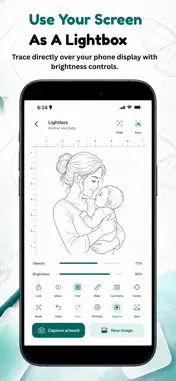
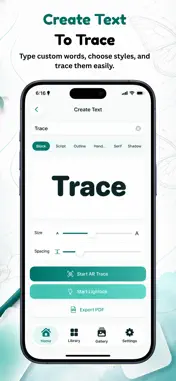
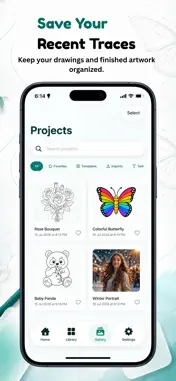
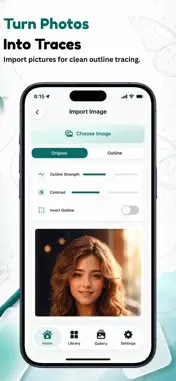
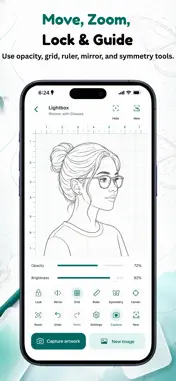
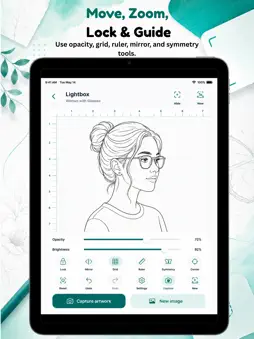
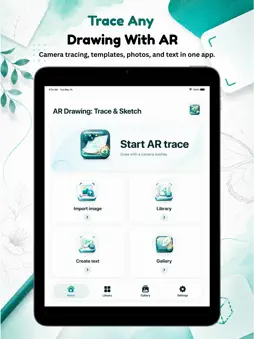
AR Drawing: Trace & Sketch helps you turn photos, templates, and text into drawings you can trace with your iPhone or iPad. Choose an image, place your device above paper, and use the camera overlay as a guide while you draw. You can also use Lightbox mode to trace directly from your screen. AR CAMERA TRACING Use your camera as a drawing guide. Place an image over the live camera view, adjust it to fit your paper, then follow the lines while you sketch. PHOTO TO OUTLINE Import a photo and turn it into a clean traceable outline. Adjust opacity, contrast, outline strength, zoom, rotation, and mirroring before you start. TEMPLATE LIBRARY Browse ready-to-trace templates including animals, flowers, anime, cars, tattoos, mandalas, food, nature, music, beginner shapes, face parts, kids’ drawings, and trending designs. TEXT TRACING Type names, words, or phrases and turn them into traceable lettering. Choose styles such as Block, Script, Outline, Handwriting, Serif, and Shadow. LIGHTBOX MODE Use your screen as a digital lightbox. Adjust brightness and opacity, then trace directly over your phone or tablet display. DRAWING TOOLS • AR camera tracing with image overlay • Lightbox tracing mode • Move, zoom, rotate, mirror, lock, center, and reset • Opacity and brightness controls • Grid, ruler, and symmetry guides • Torch, focus, and exposure tools • Recent projects and favorite templates • PDF export and sharing MADE FOR BEGINNERS AND CREATORS Whether you are learning to draw, practicing proportions, creating tattoo references, making lettering art, sketching anime, or helping kids draw, AR Drawing: Trace & Sketch gives you simple tools to start quickly. Open the app, choose an image, and start tracing your next drawing in minutes. Terms of Use (Apple Standard EULA): https://www.apple.com/legal/internet-services/itunes/dev/stdeula/ Privacy Policy: https://www.kingmakerapps.com.ng/privacy
Technical Analysis
Package Overview Basic metadata
Bundle ID
com.kingmaker.ardrawingtracesketch Current Version 1.2
Minimum iOS 17.0
Package Size App Store Size
Package Metadata 0 / 0 version records
Detailed binary, privacy manifest, framework, and Info.plist results have not been indexed for this package yet. The verified App Store and archive metadata above remains available.
Developer Information
Known Version Records
0 version records with stored package metadata
Stored metadata does not guarantee a package is currently available to download.
| Details | Version / IDs | Version date | Action |
|---|