Preview




Description
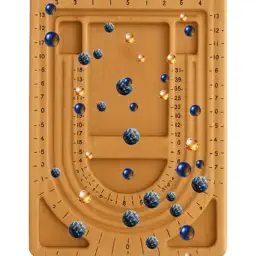
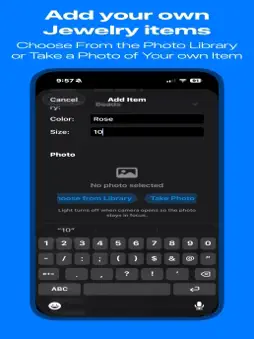
Virtual Bead Board - Design Your Perfect Jewelry. Create stunning jewelry designs on your iPhone or iPad with Virtual Bead Board. Whether you are a jewelry maker, crafter, artist, bead store owner, or design student, this app gives you a full set of tools to design, organize, and preview your work, all in one place. DESIGN ON A VIRTUAL BEAD BOARD Drag, drop, and arrange beads, clasps, and findings on a realistic bead board. Choose from multiple board styles and backgrounds. Position and resize elements with precision. Use the drawing canvas to sketch with pen, marker, paint, or eraser, including a 3D effect option. Visualize connection points so your designs are buildable in real life. MANAGE YOUR JEWELRY INVENTORY Add items with photos, names, categories, quantities, and notes. Track costs and see your inventory at a glance. Organize by category such as beads, clasps, pendants, and more. Export inventory reports as PDF for ordering or sharing. SEE DESIGNS IN AR TRY-ON Use your device camera to try on necklaces and jewelry virtually. Preview how a design will look before you make it. Works in portrait and landscape on both iPhone and iPad. PROFESSIONAL PHOTO TOOLS Remove backgrounds from jewelry photos automatically. Save cleaned-up images for inventory or listings. Save designs and images to your photo library. SYNC ACROSS YOUR DEVICES Your designs and inventory sync via iCloud across iPhone and iPad. Pick up where you left off on any device. Your data stays in your control. Perfect for jewelry makers, crafters, bead store owners, jewelry design students, and anyone who loves creating beautiful accessories. No account required to start. Download and begin designing today. Requires iOS 16.2 or later. Works on iPhone and iPad. AR try-on uses the device camera.
What's New
Version 30 2026-10-14
• Saving an edited inventory item now keeps its color, size, material, supplier, and notes. • Delete a single inventory item when you run out, from the item, th...• Saving an edited inventory item now keeps its color, size, material, supplier, and notes. • Delete a single inventory item when you run out, from the item, the list, or its details. • Long-press an item to see its name, and the details stay open. • Item details hide the saved design data so the notes are easier to read. • Add an item photo from your photo library or from Files. Technical Analysis
Package Overview Basic metadata
Bundle ID
com.virtualbeadboard.app Current Version 30
Minimum iOS 16.2
Package Size App Store Size
Package Metadata 0 / 4 version records
Detailed binary, privacy manifest, framework, and Info.plist results have not been indexed for this package yet. The verified App Store and archive metadata above remains available.
Known Version Records
0 version records with stored package metadata • 4 known version records
Stored metadata does not guarantee a package is currently available to download.
| Details | Version / IDs | Version date | Action |
|---|---|---|---|
| Not archived | App Store ID: 888668631 | Unknown | Paid / Arcade |
| Not archived | App Store ID: 888646257 | Unknown | Paid / Arcade |
| Not archived | App Store ID: 884395176 | Unknown | Paid / Arcade |
| Not archived | App Store ID: 882424338 | Unknown | Paid / Arcade |